

Antecedentes del Proyecto
Por Qué las Escuelas Necesitan una Plataforma de Comunicación de Audio Unificada
Las escuelas modernas ya no utilizan los sistemas de audio del campus solo para los anuncios matutinos. Hoy en día, se espera que un sistema de megafonía escolar soporte llamadas diarias, programación automatizada de timbres, reproducción de tonos de examen, música ambiental, notificaciones en el aula, anuncios por zona y alertas de emergencia. Sin embargo, en muchos campus, estas funciones todavía están divididas en dispositivos separados o sistemas desconectados, lo que hace que la operación diaria sea más complicada y la respuesta a emergencias sea más lenta.
Por lo tanto, un sistema de megafonía escolar bien diseñado debería hacer más que solo transmitir sonido. Debería convertirse en una plataforma de comunicación centralizada que conecte oficinas administrativas, aulas, áreas públicas, entradas, puestos de seguridad y centros de control, de modo que la gestión rutinaria y la notificación de emergencias puedan manejarse de manera consistente y confiable.
Desafíos Comunes en la Radiodifusión Tradicional en Campus
Muchas escuelas todavía dependen de equipos de radiodifusión analógicos obsoletos, dispositivos de audio de aula aislados o controladores de timbres independientes. Si bien estos sistemas aún pueden realizar una reproducción básica, a menudo carecen de flexibilidad, programación unificada e integración con herramientas de intercomunicación, telefonía, seguridad y gestión visual. A medida que los campus se expanden, este enfoque fragmentado crea inversiones repetidas, una experiencia de usuario desigual y una mayor carga de mantenimiento.
Otro problema importante es la preparación para emergencias. Un sistema de timbres tradicional puede ser adecuado para horarios rutinarios, pero por lo general no es suficiente para la comunicación de emergencia en todo el campus. En situaciones urgentes, las escuelas necesitan notificación de voz inmediata en todas las zonas o en múltiples zonas, anulación prioritaria, control rápido del operador e integración con flujos de trabajo de seguridad. Es por eso que más escuelas están migrando hacia una arquitectura de megafonía y notificación de emergencias basada en IP.
Objetivos de la Solución
Apoyar la Enseñanza Diaria y las Operaciones del Campus
El primer objetivo del sistema es apoyar la comunicación rutinaria del campus de manera estructurada y eficiente. Esto incluye llamadas generales, anuncios de profesores u oficinas, avisos en el aula, radiodifusión de información en áreas públicas y reproducción programada para las rutinas escolares. Al trasladar estas funciones a una plataforma de gestión unificada, los operadores pueden reducir el trabajo manual y mantener la comunicación consistente en todo el campus.
Portafolio de la Solución:Sistema de Megafonía Escolar PAGA
La solución es especialmente valiosa para campus con múltiples edificios, diferentes niveles de grado y horarios diarios variados. Diferentes zonas pueden recibir diferentes mensajes en diferentes momentos, lo que permite a la escuela mantener el orden sin interrupciones innecesarias.
Automatizar la Programación de Timbres con Horarios Flexibles
La programación de timbres es una de las funciones prácticas más importantes en un sistema de megafonía escolar. La solución debe soportar la reproducción automática para timbres de inicio de clase, timbres de fin de clase, recordatorios de descanso, ejercicios matutinos, pausa para el almuerzo, períodos de examen, salida y otros eventos del campus. Los horarios deben ser configurables por día de la semana, edificio, piso, grupo de aulas o calendario académico, para que el sistema pueda adaptarse a la operación real de la escuela.
La programación flexible también significa que la escuela puede crear diferentes perfiles para días normales de enseñanza, períodos de vacaciones, semanas de exámenes, sesiones de verano o invierno y ajustes temporales del horario. Esto mejora la eficiencia operativa y reduce el riesgo de error humano en el control diario de los timbres.
Permitir una Notificación de Emergencia Rápida y Clara
El tercer objetivo es garantizar que la comunicación de emergencia sea inmediata, inteligible y fácil de controlar. Cuando ocurre un incidente de seguridad, alarma de incendio, problema de seguridad, evento climático severo o situación de evacuación, el sistema debe permitir que los administradores o el personal de seguridad emitan anuncios prioritarios a todo el campus o a zonas seleccionadas sin demora.
La notificación de emergencia también debería poder interrumpir la música de fondo de menor prioridad, la reproducción rutinaria o los timbres programados. Esto garantiza que las instrucciones de emergencia se escuchen claramente y se entreguen en las áreas correctas en el momento adecuado.
Un sistema de megafonía escolar debería funcionar sin problemas en un día ordinario, pero debe funcionar perfectamente el día que la escuela más lo necesita.
Arquitectura del Sistema
Capa de Gestión Central
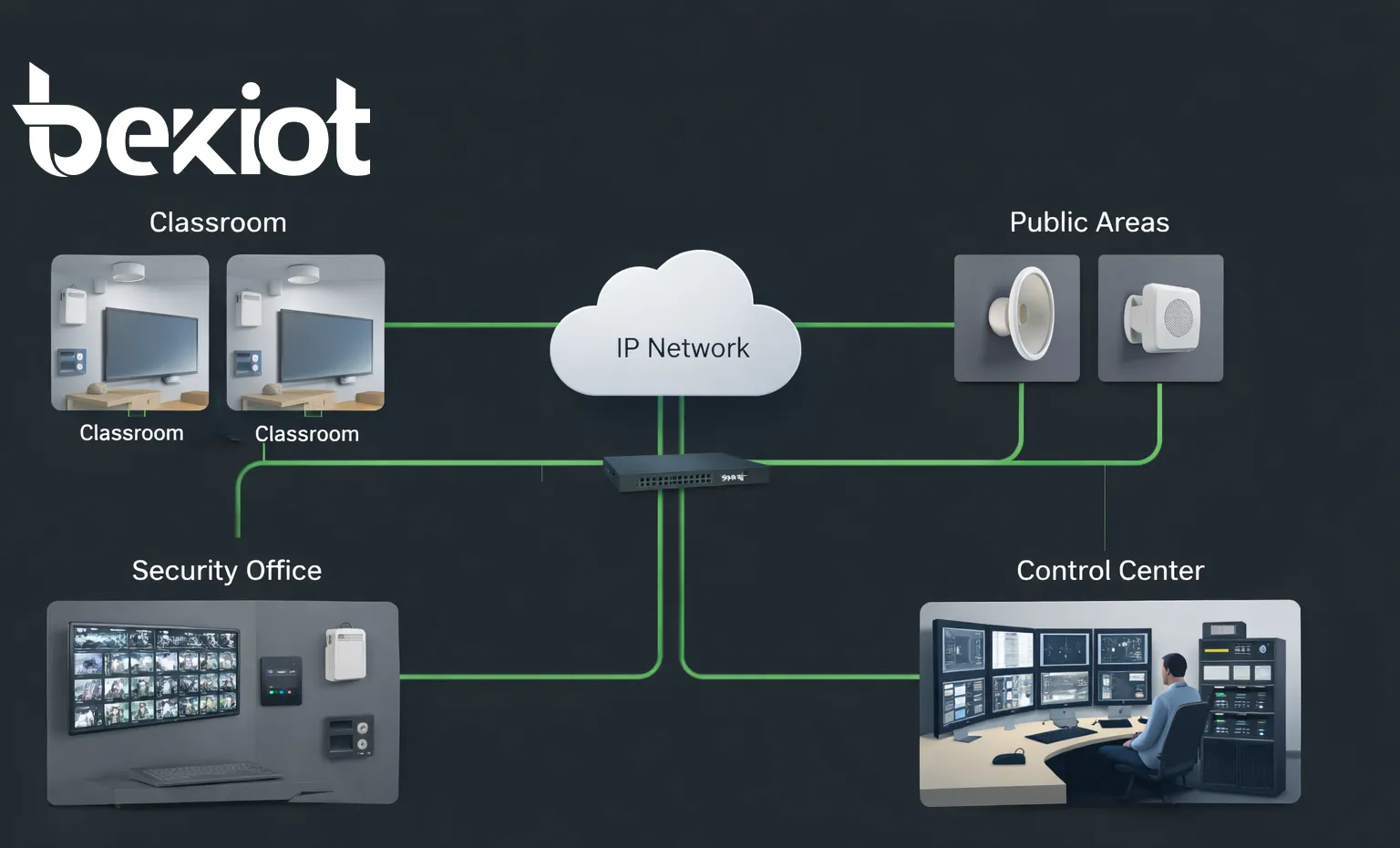
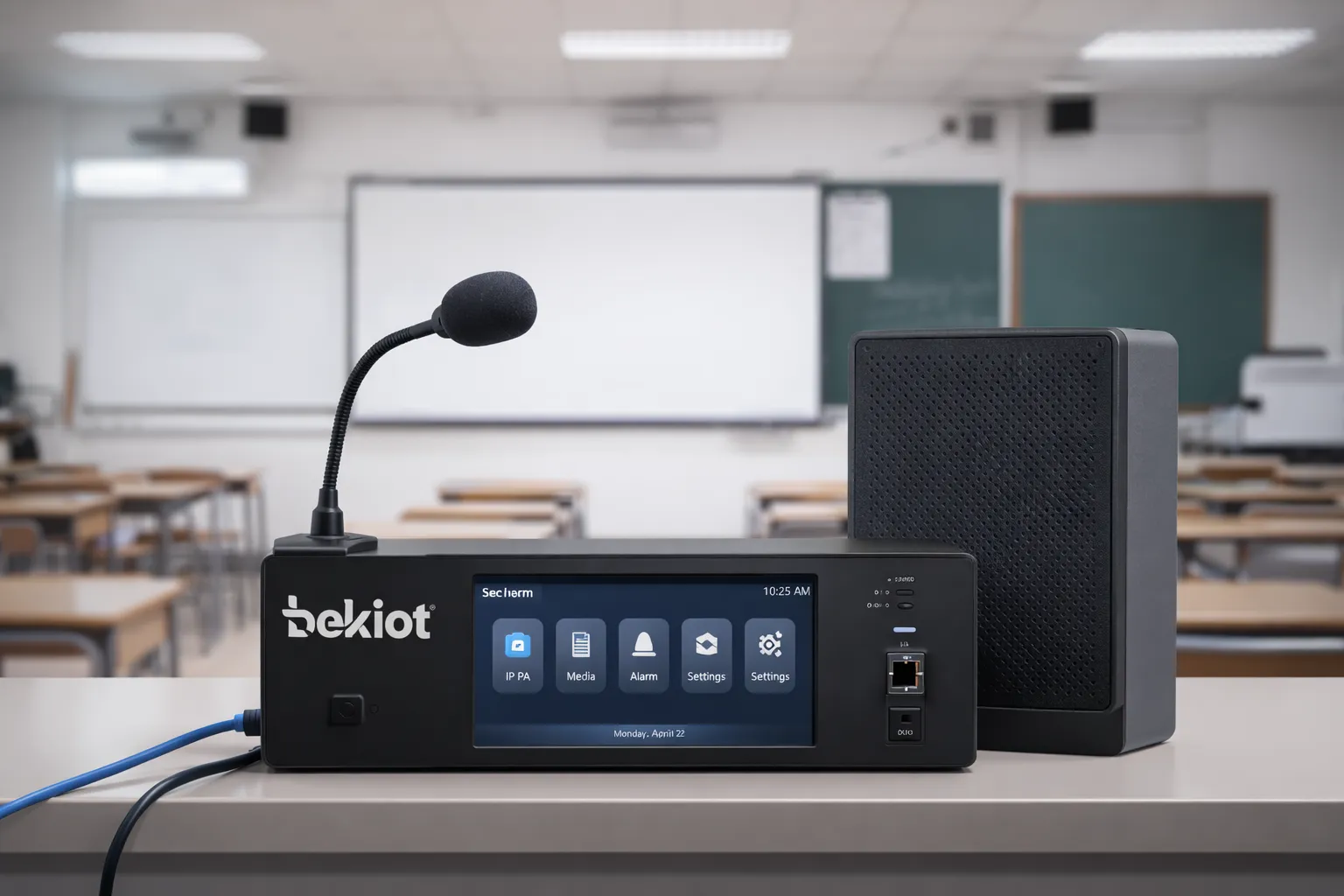
En el centro de la solución hay una plataforma de gestión unificada que maneja la programación de audio, el control de llamadas, la gestión de zonas, la lógica de timbres, el monitoreo de dispositivos y la ejecución de transmisiones de emergencia. Esta capa típicamente incluye un servidor de gestión de radiodifusión, software de llamadas, gestión de recursos de audio y uno o más terminales de operador, como una consola de llamadas o un teléfono de control visual.
Desde esta capa de gestión, los usuarios autorizados pueden crear horarios, asignar contenido de audio, lanzar anuncios en vivo, activar mensajes de emergencia y monitorear el estado de los dispositivos. Este enfoque le da a la escuela una única interfaz operativa en lugar de múltiples herramientas desconectadas.
Capa de Transmisión por Red
La capa de transmisión utiliza la red IP del campus para entregar flujos de audio, comandos de control e información de estado. Dependiendo del entorno escolar, el sistema puede operar sobre redes de área local, redes privadas del campus o arquitectura de red segmentada. Debido a que la solución está basada en IP, puede escalar más fácilmente que el cableado analógico punto a punto tradicional y puede soportar la implementación por fases edificio por edificio.
En muchos proyectos de actualización, la capa de red también hace posible mantener parte de la infraestructura existente mientras se moderniza el método de control. Esto es especialmente útil para las escuelas que desean proteger la inversión anterior y completar la actualización en etapas en lugar de reemplazar todo el sistema de una vez.
Capa de Terminal y Cobertura
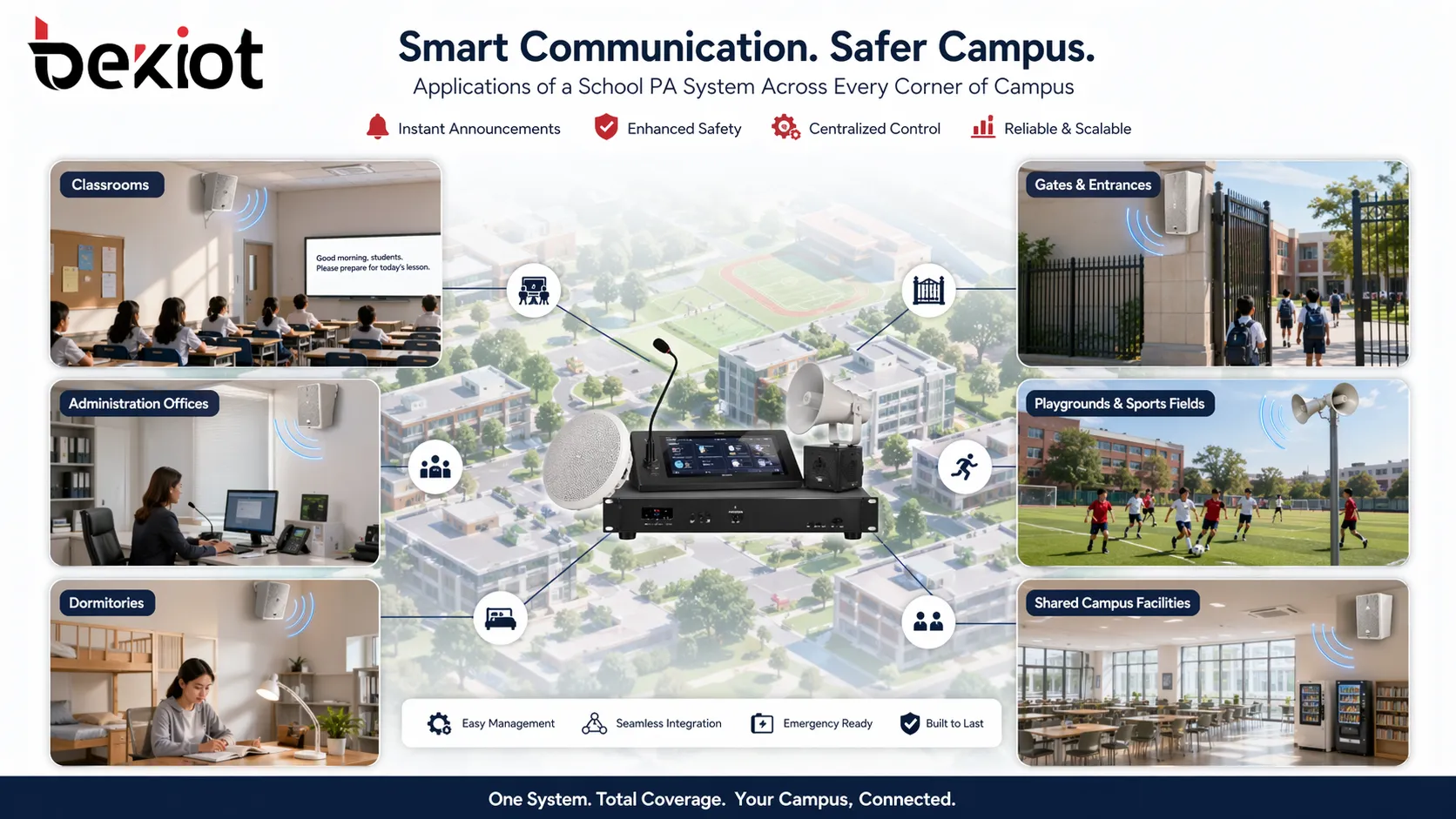
La capa de terminal cubre aulas, pasillos, patios de recreo, bibliotecas, cafeterías, áreas de dormitorios, puertas, salas de seguridad y oficinas administrativas. Los dispositivos frontales pueden incluir altavoces SIP, altavoces de bocina, amplificadores de potencia IP, terminales de radiodifusión en el aula, altavoces de pared, postes de alarma y dispositivos con capacidad de intercomunicación donde se requiere comunicación bidireccional.
Debido a que diferentes partes de una escuela tienen diferentes requisitos acústicos y operativos, el sistema debe soportar múltiples tipos de terminales. Un aula puede necesitar una reproducción de voz interior clara para timbres y anuncios, mientras que un patio de recreo puede requerir altavoces exteriores potentes para avisos públicos e instrucciones de evacuación.
Funciones Principales
Llamadas y Anuncios Diarios
El sistema soporta llamadas en vivo desde la oficina del director, la oficina de administración, la sala de seguridad o el centro de control del campus. Los usuarios pueden transmitir a un solo aula, un edificio, un piso, un grupo seleccionado de zonas o a todo el campus. Esto es ideal para anuncios generales, notificaciones a profesores, orientación a estudiantes, instrucciones para visitantes y avisos operativos temporales.
Debido a que todas las acciones de llamada se realizan a través de una plataforma centralizada, las escuelas pueden estandarizar los permisos de los operadores y evitar confusiones durante los períodos de mayor actividad. En implementaciones más grandes, también se pueden configurar múltiples posiciones de operador para soportar la gestión distribuida.
Programación de Timbres y Reproducción Programada
El motor de programación de timbres permite la reproducción automatizada de tonos predefinidos, avisos de voz y archivos de audio según el horario escolar. Los administradores pueden asignar diferentes horarios para edificios de enseñanza, grados o divisiones escolares, lo que permite que las secciones de secundaria y preparatoria o diferentes campus sigan rutinas separadas bajo un mismo sistema.
Además de los timbres estándar, el sistema también puede programar música para ejercicios matutinos, material de escucha para exámenes, recordatorios de almuerzo, avisos después de clases y reproducción para ceremonias. Esto convierte al sistema de megafonía en una herramienta operativa diaria en lugar de un dispositivo de emergencia de un solo propósito.
Notificación de Emergencia y Anulación Prioritaria
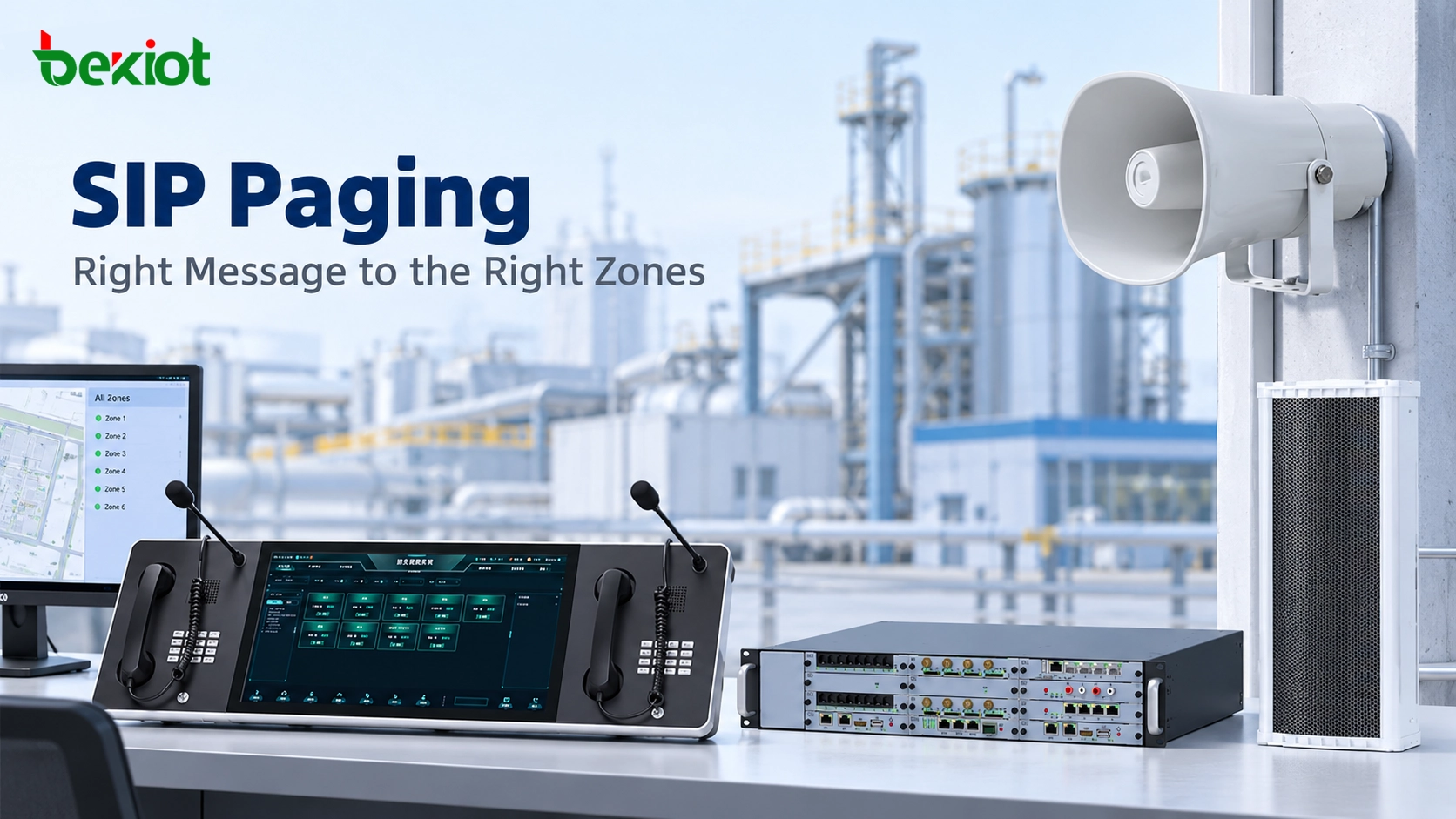
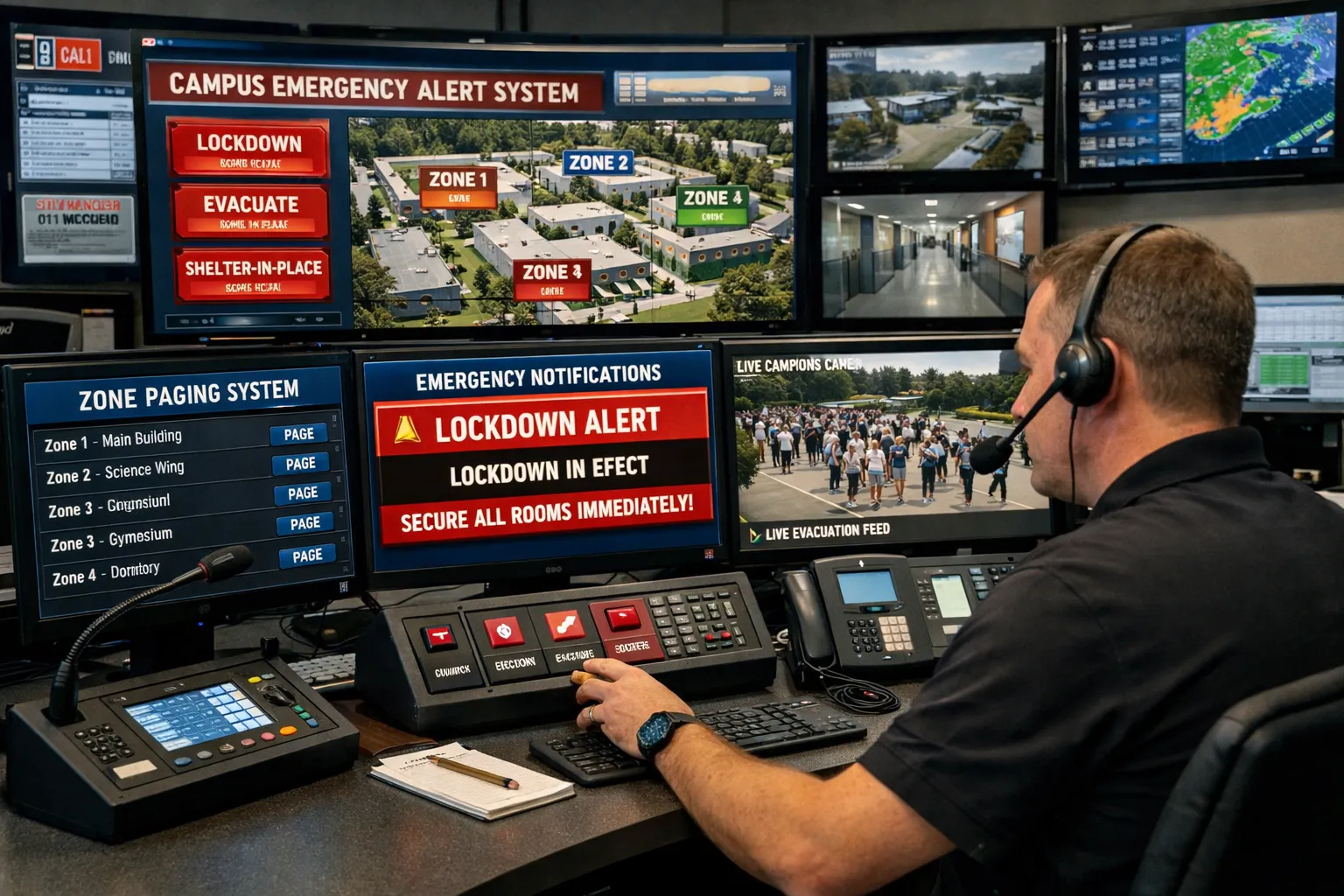
La notificación de emergencia está diseñada para la comunicación de alta prioridad. Una vez activada, el sistema puede interrumpir la reproducción actual y entregar inmediatamente instrucciones de voz o mensajes de emergencia pregrabados a las zonas designadas. Los operadores pueden elegir la transmisión en todo el campus para una evacuación completa o la transmisión en un área específica para incidentes localizados.
Esta lógica de prioridad es crítica en entornos escolares reales. Una alarma de incendio en un edificio puede requerir instrucciones urgentes para un solo bloque, mientras que una emergencia meteorológica puede requerir una cobertura más amplia. El sistema debe ofrecer a la escuela ambas opciones sin demora.
Radiodifusión por Zonas
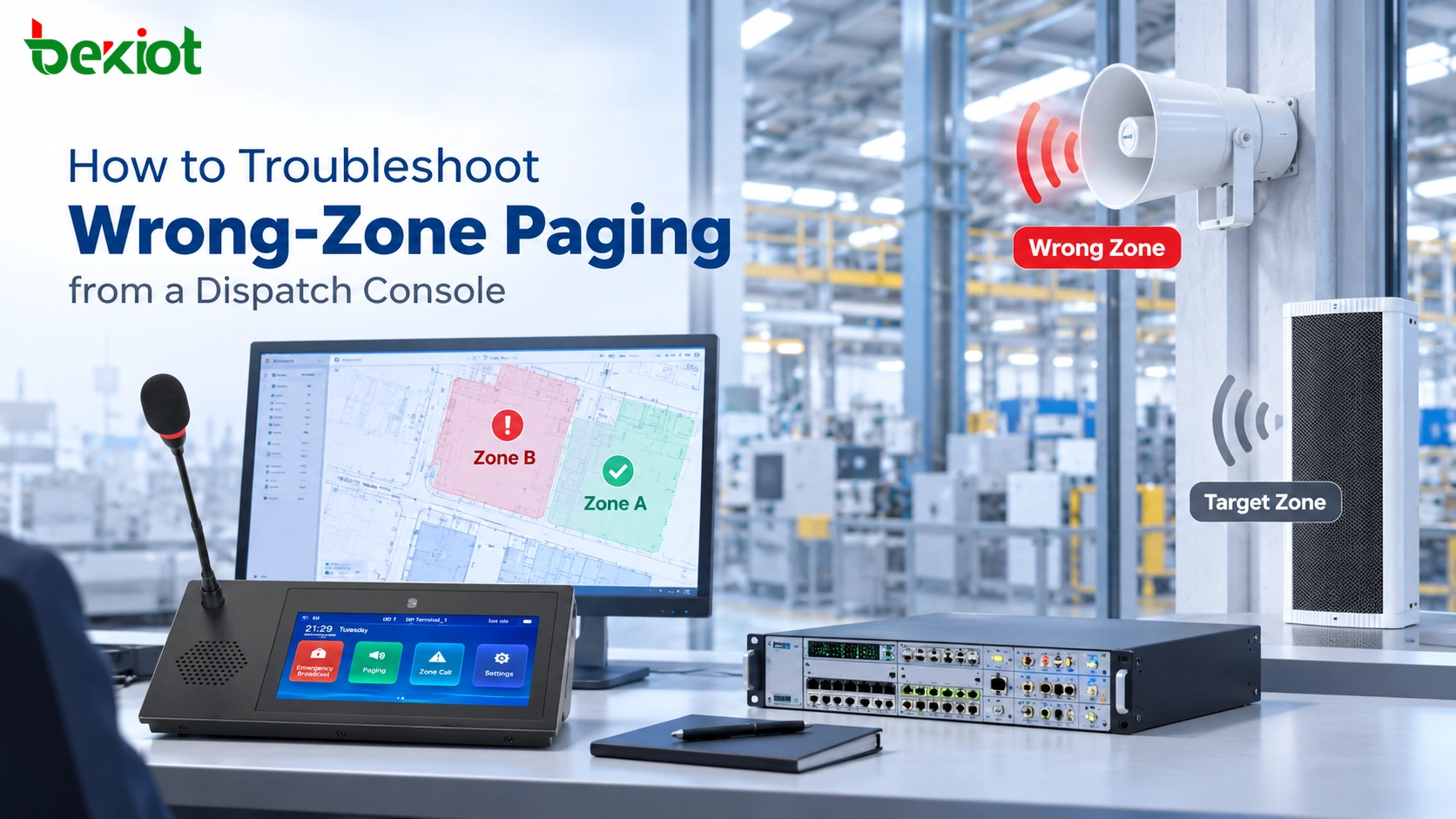
La gestión de zonas permite dividir el campus en áreas de radiodifusión prácticas, como aulas, edificios de enseñanza, pasillos públicos, campos deportivos, bloques de cafetería, áreas de dormitorios y espacios de reunión al aire libre. Cada zona puede recibir su propio contenido de reproducción, plan de volumen y lógica de horario.
Esto no solo mejora la usabilidad, sino que también previene disturbios de audio innecesarios. Por ejemplo, la escuela puede enviar avisos rutinarios a las oficinas del personal sin afectar a las aulas, o reproducir audio de ejercicios solo en las áreas del patio de recreo mientras mantiene la biblioteca en silencio.
Integración con Intercomunicación, Telefonía y Seguridad
Un sistema de megafonía escolar moderno no debería estar aislado. Debería poder conectarse con terminales de intercomunicación escolar, dispositivos de comunicación SIP, estaciones de seguridad y flujos de trabajo de monitoreo seleccionados. Esto crea un marco de comunicación del campus más coordinado en el que las llamadas, las llamadas de intercomunicación, la comunicación del centro de control y la respuesta a emergencias pueden trabajar juntos.
En términos prácticos, esto significa que una escuela puede vincular puntos de asistencia en el aula, dispositivos de la sala de seguridad, terminales de comunicación de puertas o puntos de ayuda de emergencia en la misma plataforma general. El resultado es una mejor visibilidad, una respuesta más eficiente y un control operativo diario más sólido.
Cuando las llamadas, la programación de timbres y la notificación de emergencias se ejecutan en una sola plataforma, la escuela gana tanto simplicidad en la gestión diaria como velocidad en la respuesta a crisis.
Escenarios de Aplicación en Todo el Campus
Aulas y Edificios de Enseñanza
En las aulas, el sistema proporciona timbres de clase automáticos, reproducción de audio de exámenes, avisos de enseñanza e instrucciones de emergencia. Debido a que la comunicación en el aula debe ser clara y no demasiado complicada, el diseño del terminal debe centrarse en una reproducción de voz confiable, un control centralizado fácil y una programación diaria estable.
Para los edificios de enseñanza, el control por zonas se vuelve especialmente útil. Una escuela puede transmitir solo a un bloque de enseñanza, solo a un cierto piso o a un grupo de aulas para actividades especiales, arreglos de exámenes o ajustes operativos temporales.
Pasillos, Patios de Recreo, Cafeterías y Bibliotecas
Las áreas públicas del campus requieren una cobertura de información más amplia y a menudo diferentes tipos de altavoces. Los pasillos y las áreas de reunión son adecuados para avisos rutinarios, recordatorios de supervisión y orientación de emergencia. Los patios de recreo pueden necesitar dispositivos de audio exteriores de mayor potencia para asambleas o instrucciones de evacuación. Las cafeterías pueden usar el sistema para anuncios de servicio, mientras que las bibliotecas pueden requerir solo audio de bajo volumen o basado en eventos.
Al tratar cada espacio como una zona gestionada en lugar de una línea de transmisión fija, la escuela obtiene un control mucho mayor sobre cómo se distribuye el sonido en todo el campus.
Puertas de la Escuela, Salas de Seguridad y Centros de Control
En las entradas y puestos de seguridad, la plataforma de megafonía apoya la coordinación entre el personal de seguridad, la gestión de visitantes y el manejo de emergencias. El centro de control o la sala de seguridad actúa como el centro operativo para llamadas en vivo, anuncios impulsados por eventos y coordinación de respuestas.
En una implementación más avanzada, el centro de control puede combinar la megafonía con terminales de comunicación, dispositivos de intercomunicación y monitoreo de estado para que un operador pueda gestionar avisos rutinarios y eventos urgentes desde la misma interfaz.
Estrategia de Implementación
Implementación en Campus Nuevos
Para proyectos de construcción de nuevas escuelas, el enfoque recomendado es planificar el sistema de megafonía como parte del marco general de comunicación y seguridad del campus desde el principio. Esto permite que la red de radiodifusión, los terminales de audio del aula, los altavoces de áreas públicas, los terminales de control y los flujos de trabajo de notificación de emergencia se diseñen juntos, lo que mejora la escalabilidad a largo plazo y simplifica el mantenimiento futuro.
Las nuevas implementaciones también pueden beneficiarse de una zonificación estandarizada, una autoridad de control claramente definida y una experiencia de usuario más consistente en todos los edificios y departamentos.
Actualización y Modernización de Escuelas Existentes
Para las escuelas existentes, un enfoque de migración por fases suele ser más práctico. La escuela puede comenzar con áreas de alta prioridad, como el centro de control, los edificios de enseñanza clave y las áreas públicas, y luego extender la plataforma a zonas adicionales con el tiempo. Cuando sea apropiado, los altavoces heredados o la infraestructura analógica pueden reutilizarse a través de interfaces de audio de red adecuadas o soluciones de amplificador IP.
Este enfoque por etapas ayuda a controlar los costos y al mismo tiempo ofrece una mejora operativa inmediata. También reduce la interrupción de las actividades de enseñanza durante el período de transición.
Valor del Sistema y Ventajas Clave
Gestión Unificada y Menor Complejidad Operativa
La mayor ventaja de la solución es la centralización. En lugar de mantener sistemas separados para timbres, megafonía y audio de emergencia, la escuela opera una plataforma coordinada. Esto reduce la complejidad de la capacitación, simplifica el mantenimiento y hace que la administración diaria sea más eficiente.
También crea una estructura de gestión más profesional. Los horarios de audio, los permisos de los operadores, el estado de los dispositivos y los registros de transmisión se pueden manejar de manera más organizada que con equipos independientes dispersos.
Mejor Eficiencia Diaria y Mejor Preparación para Emergencias
Las operaciones de enseñanza diarias se vuelven más fluidas cuando los timbres, la reproducción programada y los anuncios en vivo se manejan de manera automática y consistente. Los maestros y administradores dedican menos tiempo a gestionar tareas de audio rutinarias, mientras que los estudiantes experimentan una comunicación del campus más clara y predecible.
Al mismo tiempo, la escuela gana una ruta de notificación de emergencia más rápida y confiable. Esto mejora la preparación para incidentes de incendio, clima severo, eventos de seguridad, orientación de evacuación y otros escenarios urgentes donde cada segundo cuenta.
Arquitectura Abierta y Expansión Escalable
Debido a que la solución se basa en redes IP modernas y conceptos de integración abiertos, es más fácil de expandir con el tiempo. Una escuela puede agregar más zonas, más edificios, más terminales de operador y más puntos finales de comunicación sin rediseñar todo el sistema desde cero.
Esto hace que la plataforma sea adecuada no solo para escuelas pequeñas, sino también para campus más grandes, grupos educativos, escuelas con múltiples edificios e instituciones que planean actualizaciones digitales graduales.
Un sistema de megafonía escolar sólido no solo se trata de la cobertura de sonido. Se trata del control operativo, la claridad de la comunicación y la confianza en cada escenario rutinario y de emergencia.
Componentes Recomendados del Sistema
Dispositivos Frontales y Centrales Típicos
Un sistema de megafonía escolar completo puede incluir un servidor de gestión de radiodifusión, una consola de llamadas o un terminal de llamadas visual, amplificadores de red IP, altavoces interiores y exteriores, terminales de radiodifusión en el aula, controladores de zona, puntos de intercomunicación de emergencia y conmutadores de red. Se pueden seleccionar componentes adicionales según el tamaño del campus, el entorno acústico y el estilo de gestión.
Para campus que requieren una integración de comunicaciones más amplia, el sistema también se puede combinar con terminales de intercomunicación, dispositivos de comunicación SIP, teléfonos de sala de seguridad y consolas de operador para crear un entorno de comunicaciones más unificado.
Software y Herramientas de Gestión
Más allá del hardware, el software de gestión es una parte clave de la implementación. Debe soportar la edición de horarios, la gestión de archivos de audio, la agrupación de zonas, la configuración de políticas de prioridad, el control de permisos, el monitoreo de dispositivos y el manejo de eventos. Cuanto mejor sea la interfaz de software, más fácil será para el personal escolar gestionar el sistema con confianza y eficiencia.
En proyectos más grandes, la gestión centralizada de dispositivos también es útil para el mantenimiento remoto, la configuración por lotes y el soporte de operaciones a largo plazo.
Conclusión
Una Plataforma de Comunicación del Campus Práctica para el Uso Diario y los Momentos Críticos
El Sistema de Megafonía Escolar para Llamadas, Programación de Timbres y Notificación de Emergencias es más que un proyecto de radiodifusión convencional. Es una solución de comunicación práctica para todo el campus que soporta el orden de enseñanza diario, la administración rutinaria y la respuesta rápida a emergencias en una sola plataforma.
Al combinar el control automatizado de timbres, las llamadas en vivo, la distribución de audio por zonas y la notificación de voz de emergencia, las escuelas pueden mejorar la eficiencia operativa, reducir la complejidad de la gestión y construir un entorno de campus más seguro y organizado.
Planifique su Implementación Escolar
Si está planeando un nuevo sistema de audio para el campus o actualizando una red de radiodifusión escolar existente, vale la pena evaluar el proyecto desde la perspectiva de la gestión unificada en lugar de dispositivos independientes. Una solución bien estructurada puede soportar las operaciones cotidianas de inmediato y al mismo tiempo brindar a la escuela una base de comunicación más sólida para futuras expansiones.
Ya sea que el requisito sea la programación de timbres en el aula, la megafonía en todo el campus, la radiodifusión en áreas públicas o la notificación de voz de emergencia, la arquitectura de sistema adecuada ayudará a la escuela a lograr una mejor confiabilidad, flexibilidad y valor a largo plazo.
FAQ
¿Cuál es la diferencia entre un sistema de megafonía escolar y un sistema de timbres escolar tradicional?
Un sistema de timbres tradicional maneja principalmente la reproducción de tonos programados, mientras que un sistema de megafonía escolar moderno cubre una gama mucho más amplia de funciones. Soporta llamadas en vivo, anuncios por múltiples zonas, horarios automatizados, reproducción de archivos de audio, anulación de emergencia y, a menudo, integración con flujos de trabajo de comunicación o seguridad.
En otras palabras, la función de timbre se convierte en una parte de una plataforma de comunicación del campus más amplia en lugar de ser todo el sistema.
¿Puede el sistema usar diferentes horarios de timbres para diferentes edificios o niveles de grado?
Sí. Un sistema de megafonía escolar bien diseñado puede asignar diferentes horarios a diferentes zonas, bloques de enseñanza, grados o grupos operativos. Esto es útil para campus con horarios separados de secundaria y preparatoria, diferentes arreglos de exámenes u horarios de salida escalonados.
También permite cambios temporales de horario sin reconfigurar todo el campus.
¿Pueden los anuncios de emergencia interrumpir los timbres normales o la música de fondo?
Sí. La notificación de emergencia siempre debe tener mayor prioridad que la reproducción de audio rutinaria. Cuando se activa un evento de emergencia, el sistema puede pausar o anular los timbres regulares, la música y los anuncios estándar para que las instrucciones de voz urgentes se escuchen claramente.
Este mecanismo de prioridad es uno de los requisitos más importantes para la comunicación de seguridad en el campus.
¿Es posible actualizar un sistema de radiodifusión escolar analógico existente en lugar de reemplazar todo?
En muchos proyectos, sí. Las escuelas a menudo pueden conservar los altavoces heredados seleccionados o las líneas de audio y actualizar el método de control a través de amplificadores IP, interfaces de audio de red o migración por fases. El método exacto depende del estado de la infraestructura existente y del nivel de modernización deseado por la escuela.
Un enfoque de modernización por fases es a menudo la forma más práctica de mejorar la capacidad mientras se controlan los costos y se minimizan las interrupciones.
¿Qué áreas del campus deben incluirse en el sistema?
Como mínimo, la mayoría de las escuelas deberían considerar las aulas, los edificios de enseñanza, los pasillos, los patios de recreo, las cafeterías, las bibliotecas, las entradas, los puestos de seguridad y el centro principal de control o monitoreo. El plan de zonificación final debe reflejar los patrones operativos de la escuela y los requisitos de gestión de emergencias.
El objetivo es asegurar que tanto los avisos rutinarios como las instrucciones de voz urgentes puedan llegar a las personas adecuadas en los lugares adecuados sin superposiciones innecesarias.