
Esta guía explica la función de lista BLF para teléfonos SIP Fanvil y proporciona una configuración paso a paso en el servidor BroadWorks y la interfaz de usuario web del teléfono.
Este documento describe la función BLF List de los teléfonos SIP y cómo utilizarla configurando BroadWorks y el teléfono. Todos los modelos de teléfonos, incluyendo BX3S, BX4, BX5S, BX6, BX7, BX7C, GP210, GP210i, serie BXU, BC600, BD900, son compatibles con esta función con el mismo método de configuración.
BLF (Busy Lamp Field / Campo de Lámpara Ocupada) obtiene el estado de llamada de una extensión mediante suscripción. Al configurar un número BLF en una tecla DSS, el indicador LED cambia cuando varía el estado de la extensión monitoreada. Una tecla BLF solo monitorea una extensión. BLF List permite monitorear múltiples extensiones de una sola vez. El usuario configura una lista de números monitoreados en el servidor PBX, y el teléfono los mapea automáticamente a las teclas DSS. Los indicadores LED se actualizan cuando cambia el estado de cualquier extensión monitoreada. BLF List es una función de suscripción grupal para monitoreo por lotes. La función BLF List requiere la cooperación entre el teléfono SIP y el servidor PBX. PBX compatibles verificados: BroadSoft BroadWorks, Fortinet FortiVoice, VoipSwitch. Otros PBX compatibles con BLF List también pueden funcionar. Esta guía utiliza BroadWorks como ejemplo.
1. Inicie sesión en la interfaz de configuración web de BroadWorks.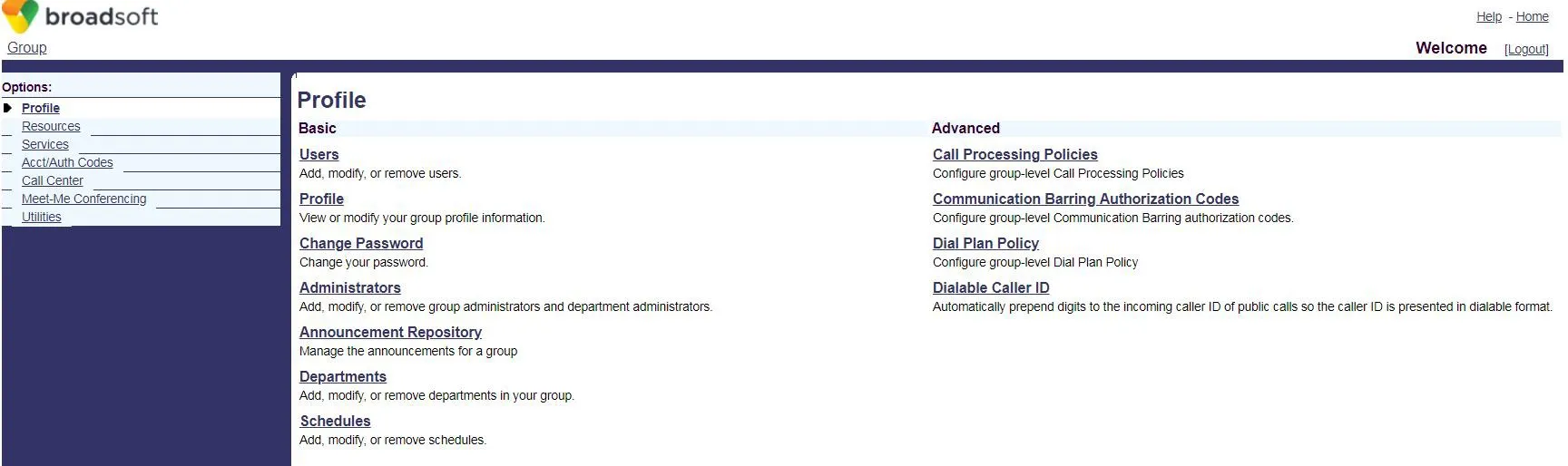 2. Haga clic en Users para acceder a la página de selección de cuentas BroadSoft.
 3. Si existen cuentas, haga clic en Search para mostrar la lista. Seleccione una cuenta (ej: FanvilUser1) y vaya al Paso 5.
Si no hay cuentas, haga clic en Add para crear una nueva (Paso 4).
3. Si existen cuentas, haga clic en Search para mostrar la lista. Seleccione una cuenta (ej: FanvilUser1) y vaya al Paso 5.
Si no hay cuentas, haga clic en Add para crear una nueva (Paso 4).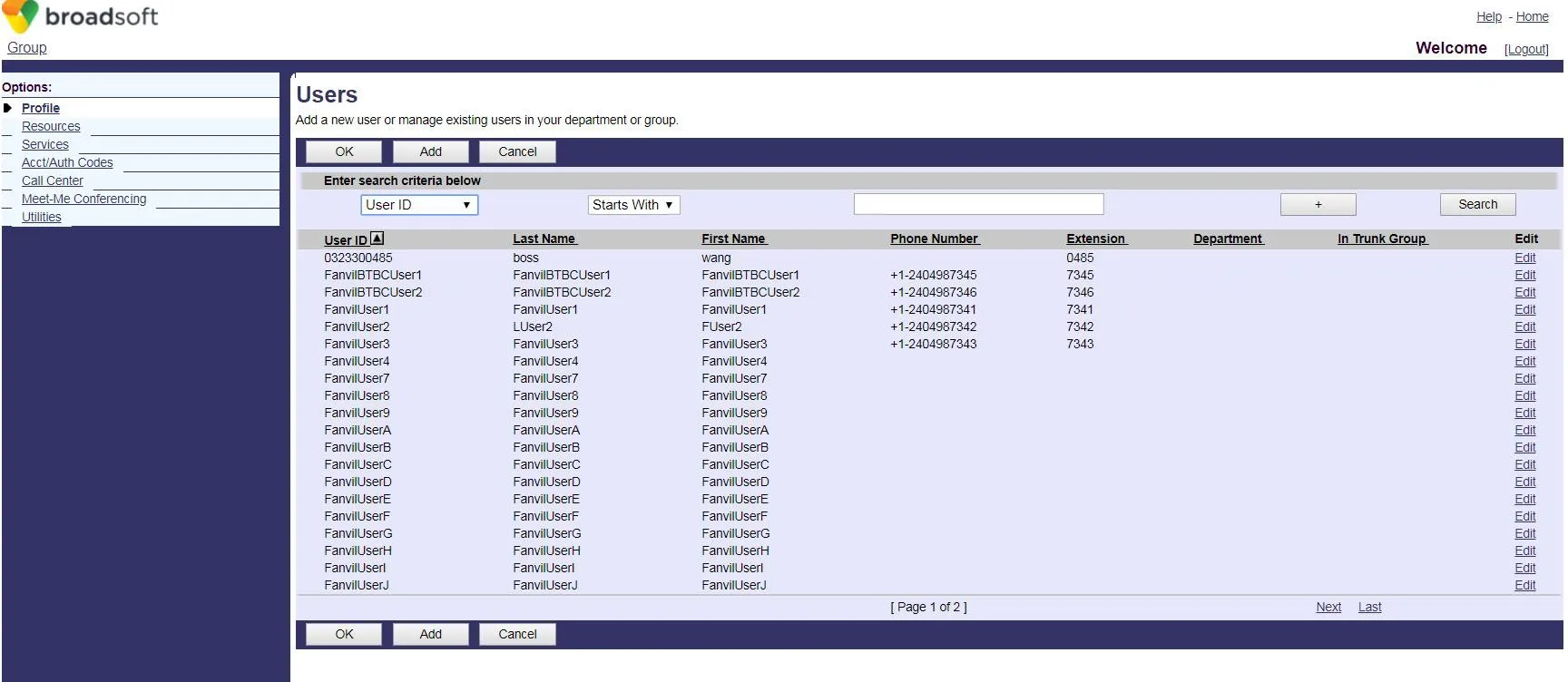 4. Cree una nueva cuenta BroadWorks.
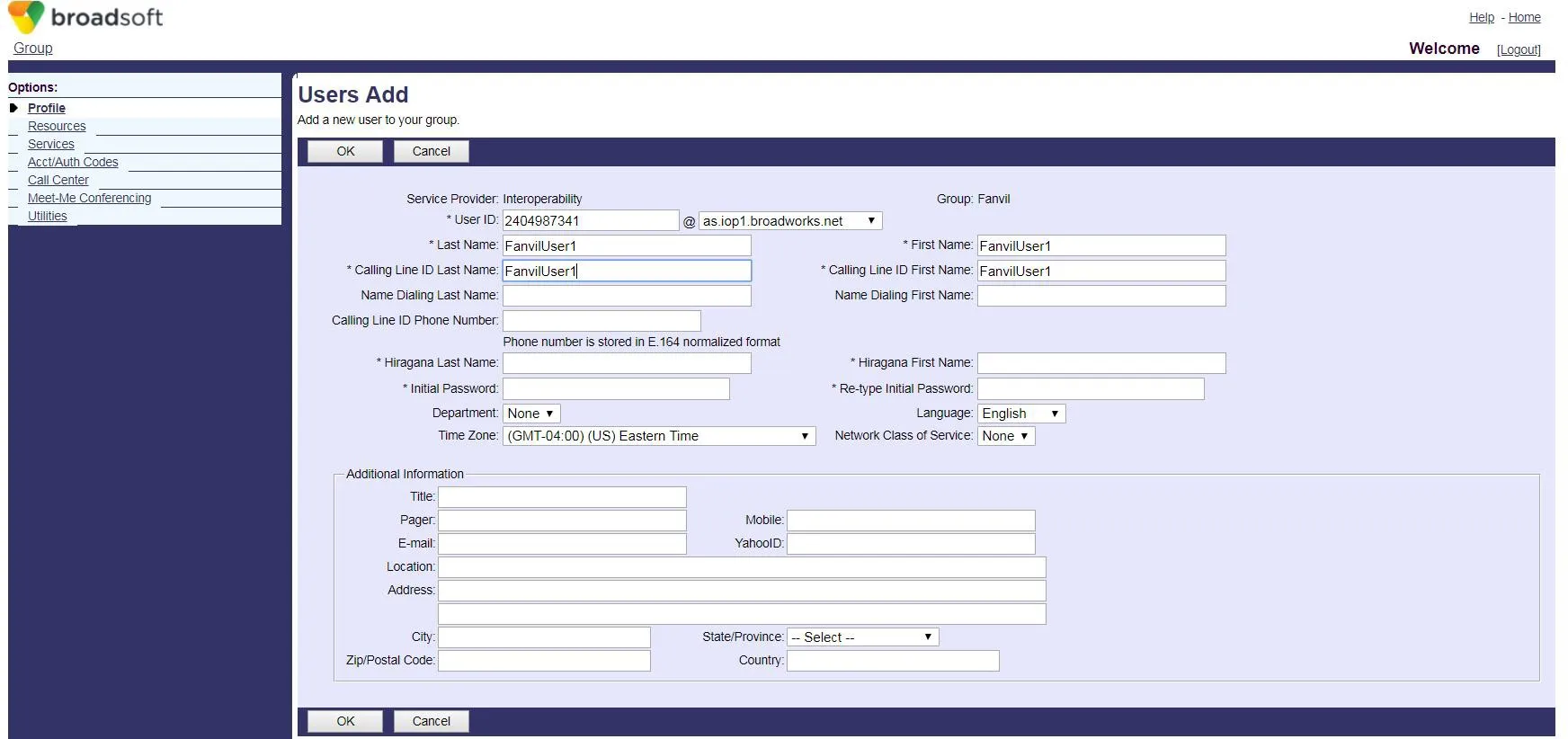 5. Acceda a la página de configuración de la cuenta seleccionada (FanvilUser1).
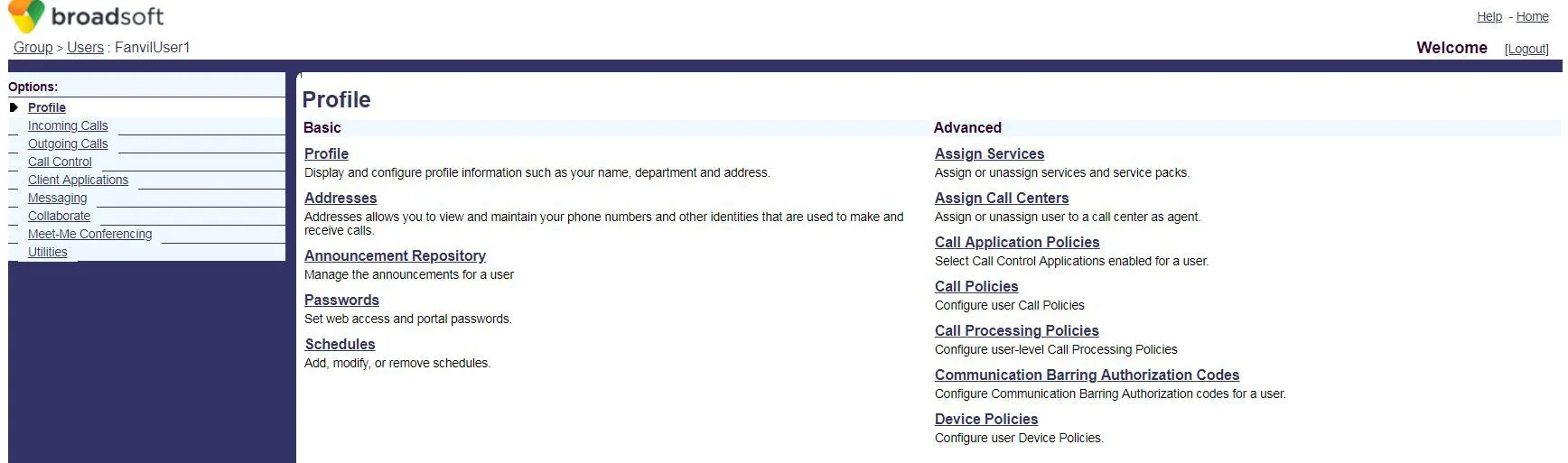 6. Haga clic en Client Applications.
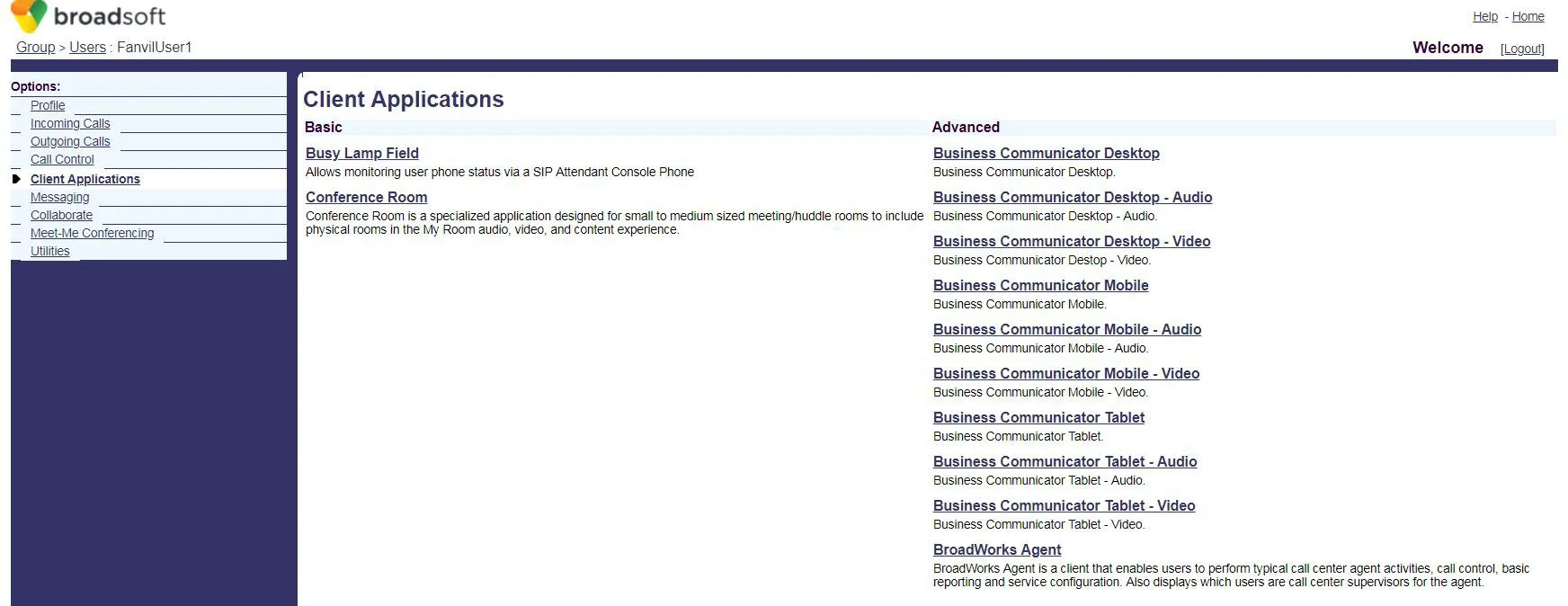 7. Haga clic en Busy Lamp Field para abrir la página de configuración de BLF List.
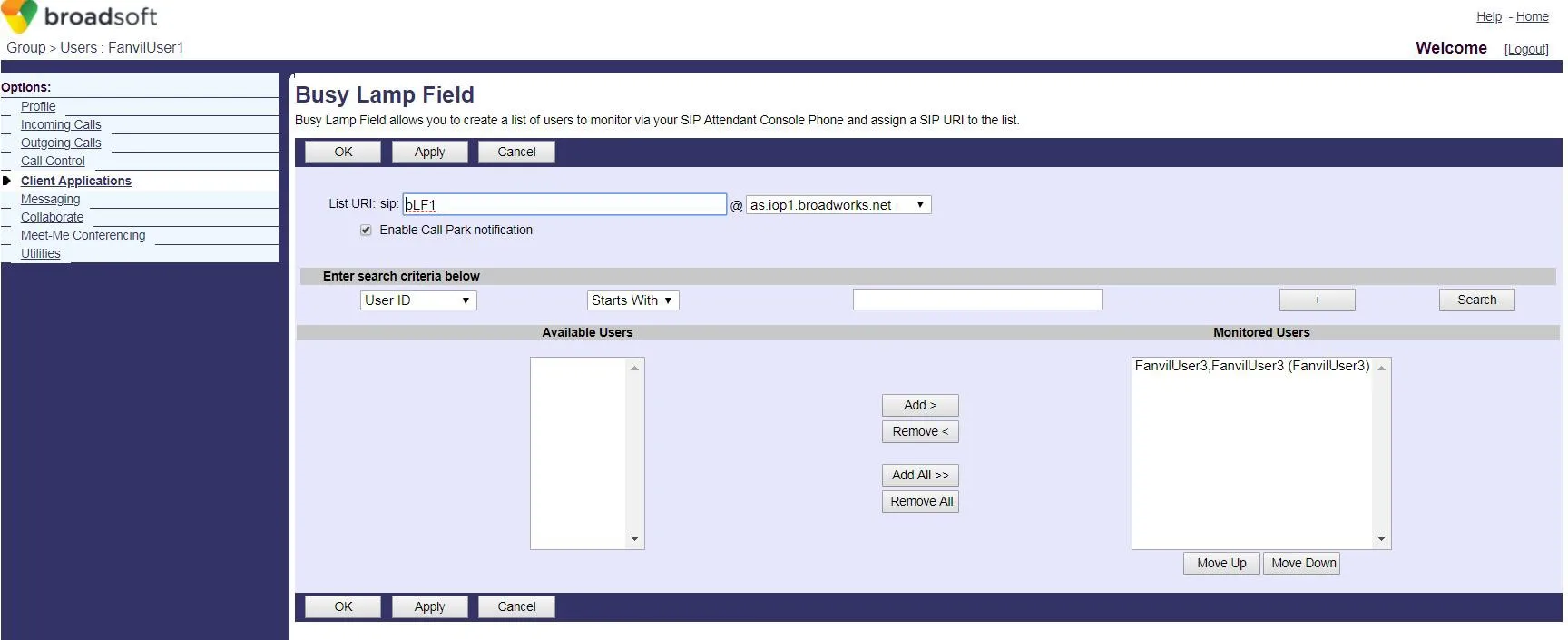 8. Ingrese un List URI (ej: blf1). Este valor debe coincidir con el Número BLF List del teléfono.
Haga clic en Search para mostrar las extensiones disponibles.
Mueva las extensiones deseadas a la lista de monitoreo, luego haga clic en OK para guardar.
8. Ingrese un List URI (ej: blf1). Este valor debe coincidir con el Número BLF List del teléfono.
Haga clic en Search para mostrar las extensiones disponibles.
Mueva las extensiones deseadas a la lista de monitoreo, luego haga clic en OK para guardar.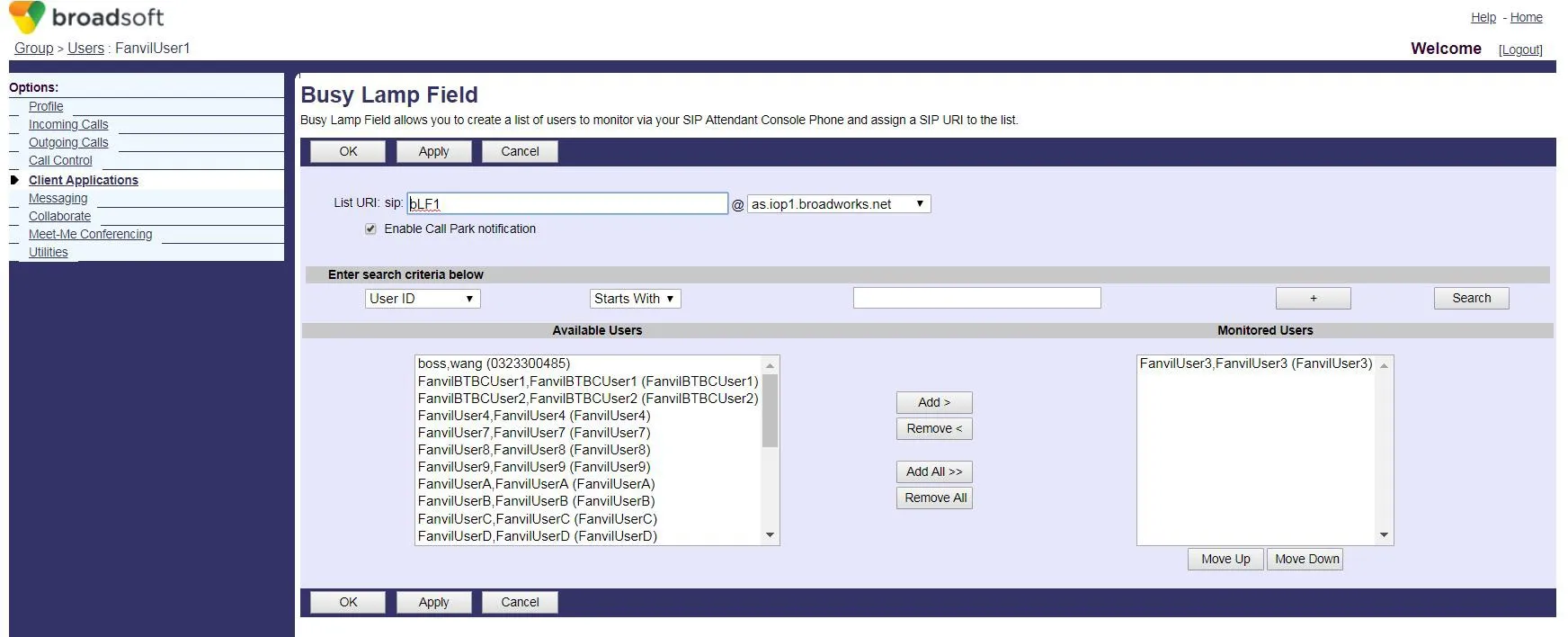 9. Inicie sesión en la interfaz web del teléfono (nombre de usuario/contraseña predeterminados: admin).
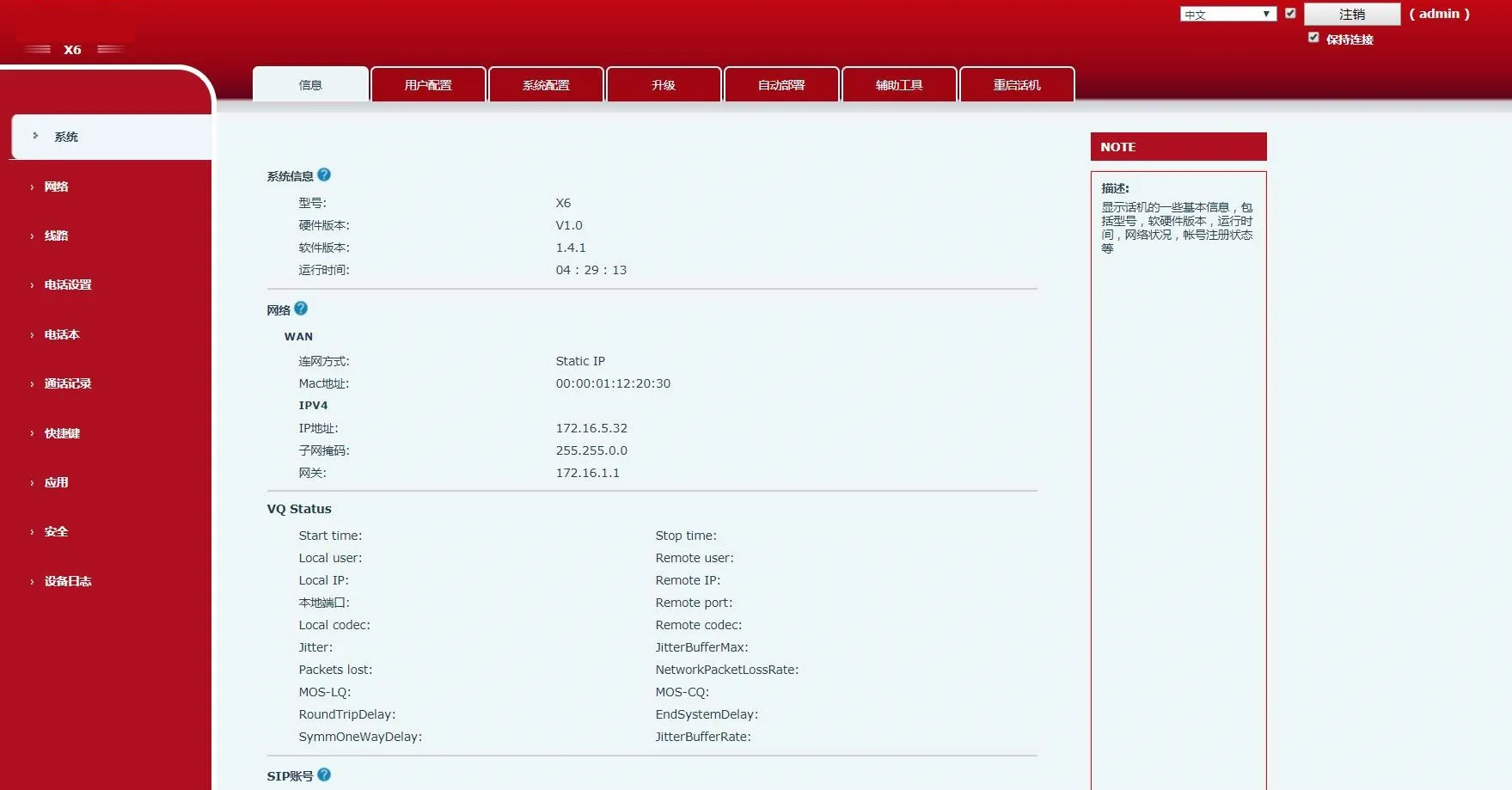 10. Vaya a Shortcuts en el menú izquierdo.
Establezca el Tipo de Tecla DSS en BLF List. Cada tecla se asigna a un número monitoreado.
Si la lista tiene más extensiones que teclas BLF List, el teléfono las asigna a las teclas DSS con Tipo Ninguno.
Haga clic en Apply para guardar.
10. Vaya a Shortcuts en el menú izquierdo.
Establezca el Tipo de Tecla DSS en BLF List. Cada tecla se asigna a un número monitoreado.
Si la lista tiene más extensiones que teclas BLF List, el teléfono las asigna a las teclas DSS con Tipo Ninguno.
Haga clic en Apply para guardar.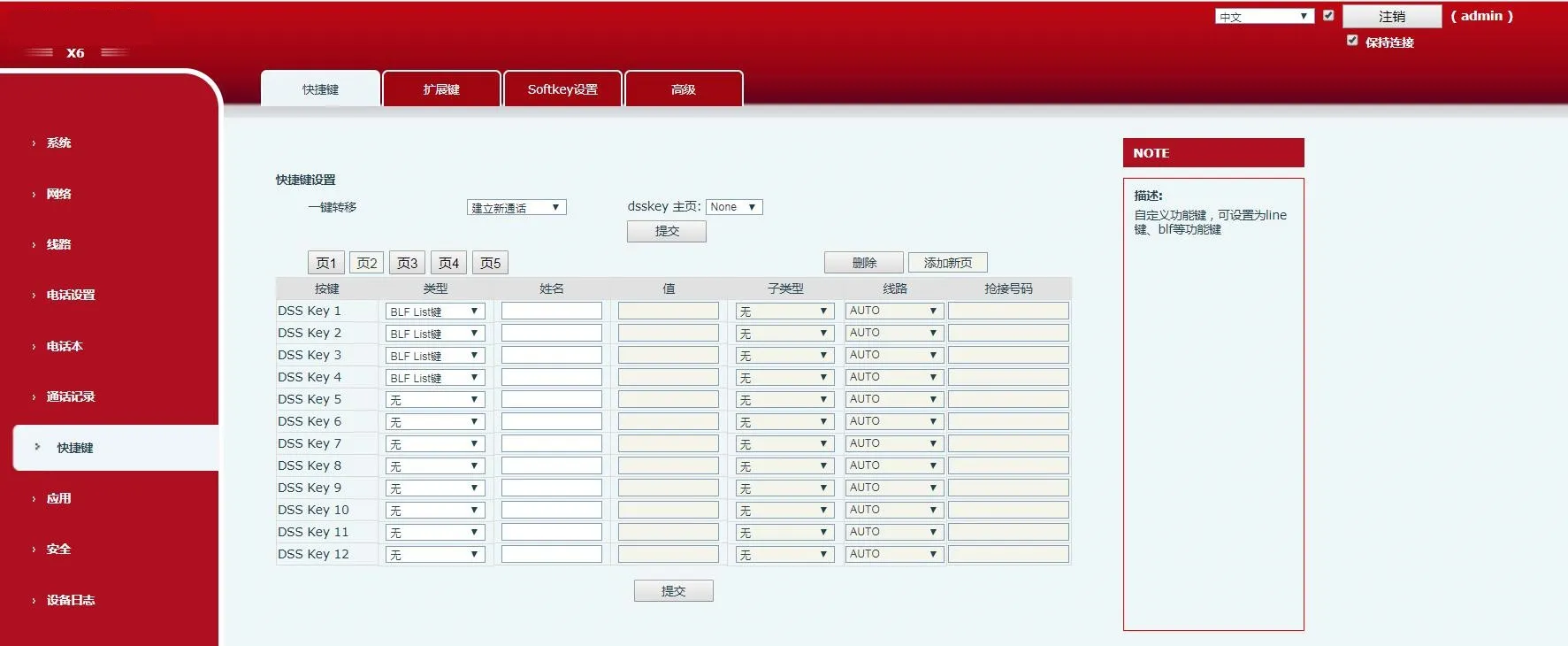 11. Vaya a Line en el menú izquierdo.
Configure la cuenta BroadWorks (FanvilUser1) en la línea correspondiente del teléfono.
11. Vaya a Line en el menú izquierdo.
Configure la cuenta BroadWorks (FanvilUser1) en la línea correspondiente del teléfono.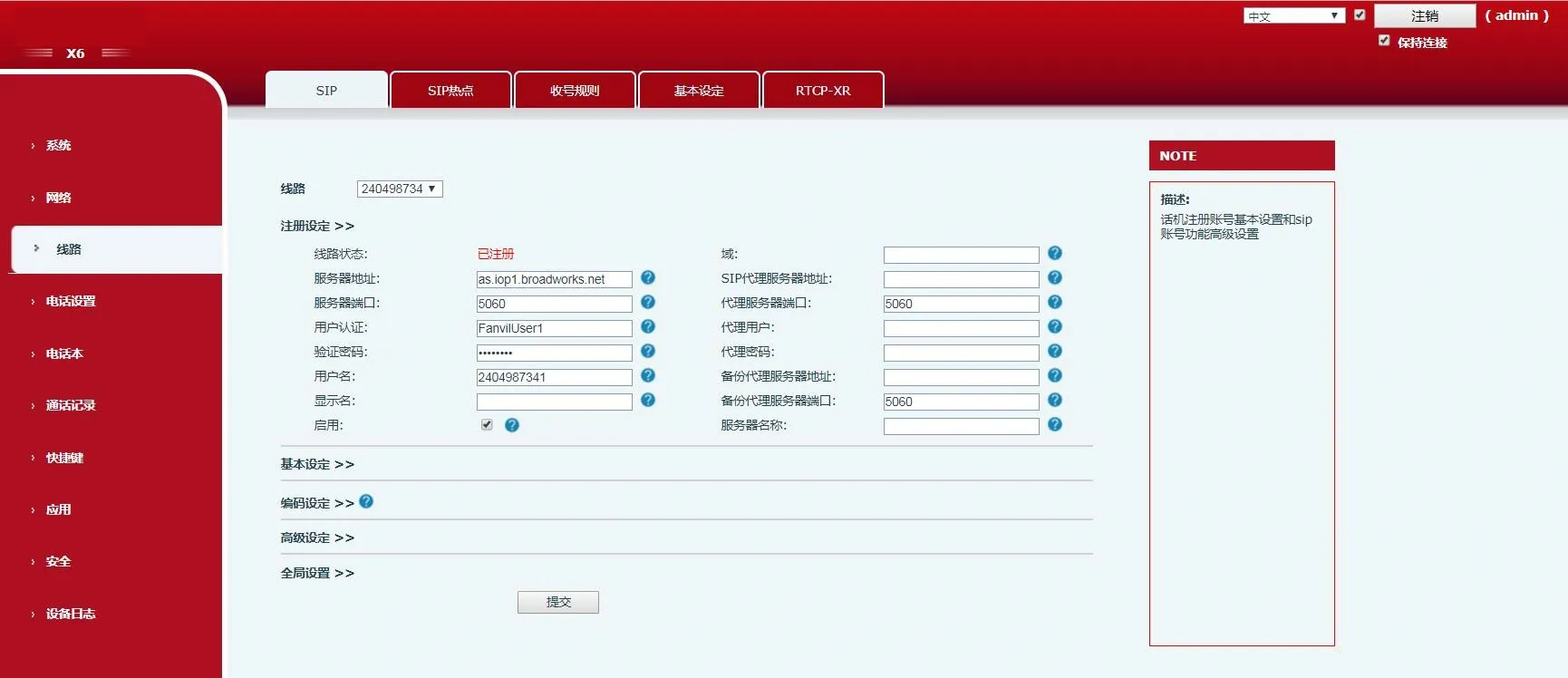 12. Vaya a Advanced Settings → Configuración avanzada SIP.Habilite BLF List e ingrese el Número BLF List (igual al List URI del Paso 8).
Haga clic en Submit.
Asegúrese de que la cuenta FanvilUser1 se registre correctamente. BLF List ya está configurado.
12. Vaya a Advanced Settings → Configuración avanzada SIP.Habilite BLF List e ingrese el Número BLF List (igual al List URI del Paso 8).
Haga clic en Submit.
Asegúrese de que la cuenta FanvilUser1 se registre correctamente. BLF List ya está configurado.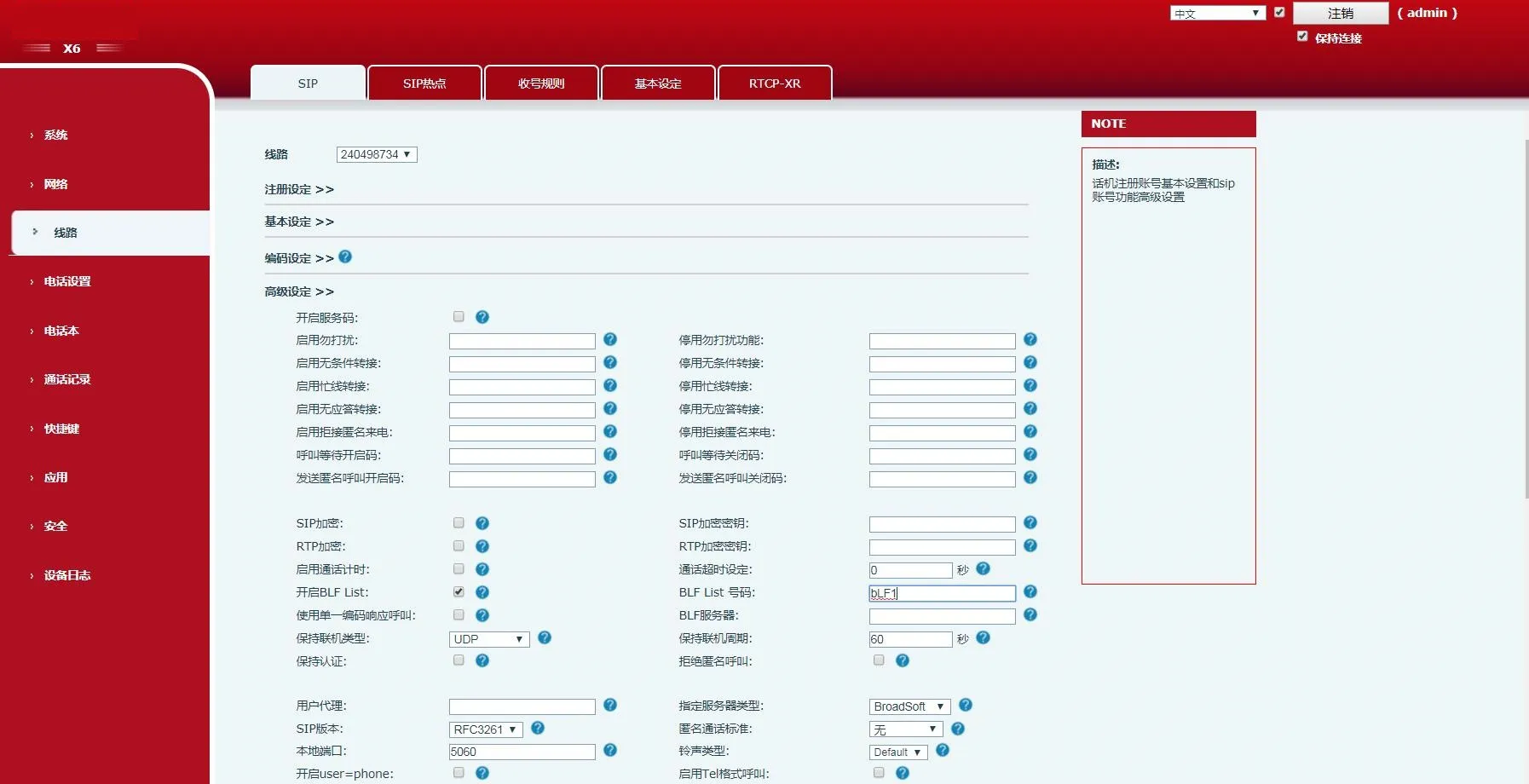 13. Verifique los LED de las teclas DSS en el teléfono.
LED fijo significa configuración exitosa.
Realice una llamada a la extensión monitoreada: el LED correspondiente cambiará de estado.
13. Verifique los LED de las teclas DSS en el teléfono.
LED fijo significa configuración exitosa.
Realice una llamada a la extensión monitoreada: el LED correspondiente cambiará de estado.