
IntroductionOverviewThis el documento está destinado a ayudar a los usuarios a comprender mejor
Este documento está destinado a ayudar a los usuarios a comprender mejor la función Bluetooth y utilizarla de forma rápida y correcta.
Este documento se aplica a dispositivos con Bluetooth habilitado, como X4U, X5U, X6U, X7, X7C, X210, X210i y X7A.
Este documento está dirigido a evaluadores y clientes que utilizan nuestros teléfonos.
2.1.1 Configuración de Bluetooth
Primero, el teléfono puede requerir un adaptador Bluetooth externo. Bluetooth está integrado en los modelos X5U, X6U, X7, X7C, X7A, X210 y X210i, por lo que este paso se puede omitir en esos modelos.
1. En la configuración predeterminada, aparece un mensaje emergente cuando se inserta el adaptador Bluetooth.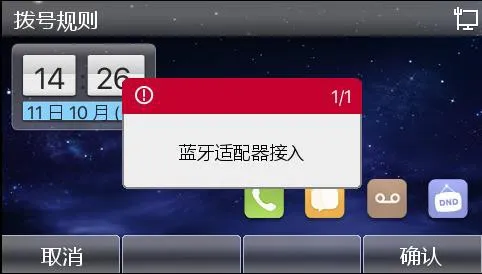
2. También aparece un mensaje emergente cuando se extrae el adaptador Bluetooth.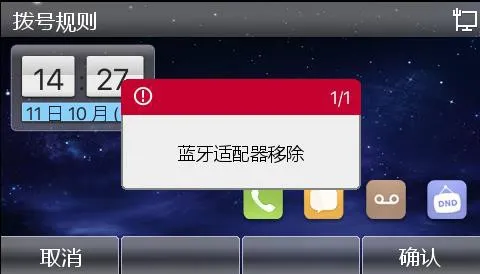
3. En el teléfono, vaya a 【Menú】 >> 【Configuración básica】 >> 【Configuración de Bluetooth】, luego active Bluetooth.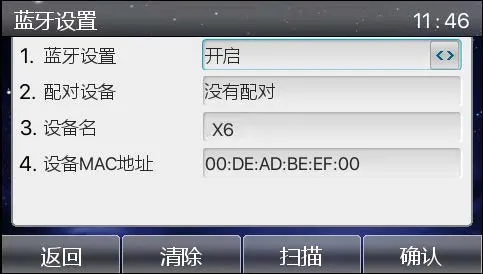
4. Haga clic en 【Escanear】 para buscar todos los dispositivos Bluetooth cercanos con Bluetooth habilitado.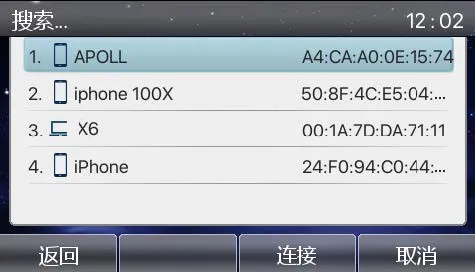
5. Haga clic en 【Conectar】. Aparecerá un mensaje con un código de emparejamiento. Esto se muestra solo la primera vez que se conecta el dispositivo.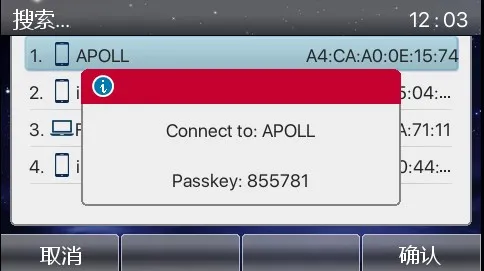
6. En este punto, el teléfono móvil solicitará el emparejamiento. Pulse Emparejar en el teléfono móvil, luego pulse 【Confirmar】 en el teléfono para completar el emparejamiento. Después de una conexión exitosa, el teléfono preguntará inmediatamente si desea sincronizar los contactos del teléfono móvil.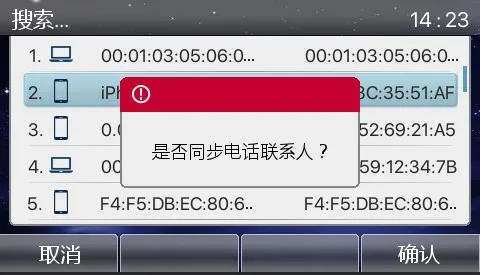
7. La siguiente pantalla muestra una conexión exitosa.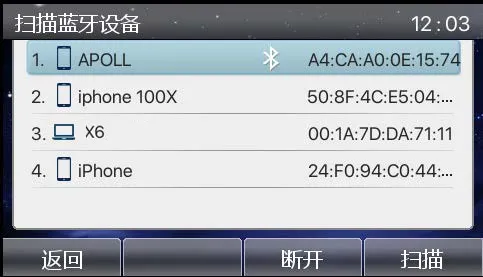
8. Después de que la línea móvil Bluetooth se conecte correctamente, regrese a la pantalla de inicio y se mostrará un icono Bluetooth.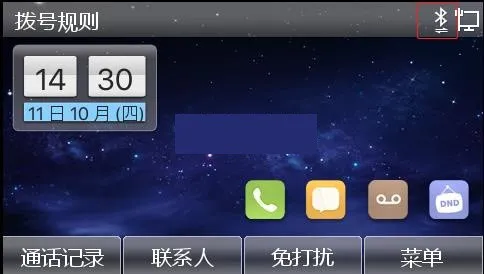
9. Ingrese a la pantalla de Contactos para ver los contactos del teléfono móvil.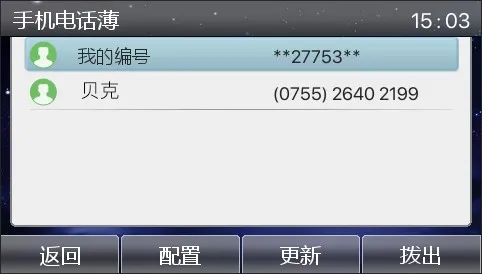
Nota: Cuando un dispositivo con Bluetooth integrado se conecta a un teléfono móvil, solicita un código PIN (predeterminado: “0000”). Los dispositivos que usan un dongle Bluetooth negocian el código de emparejamiento con el teléfono móvil automáticamente.
2.1.2 Pasos de conexión Bluetooth integrada
1. Abra la configuración de Bluetooth: Menú>>Configuración básica>>Bluetooth y Wi-Fi, luego active Bluetooth.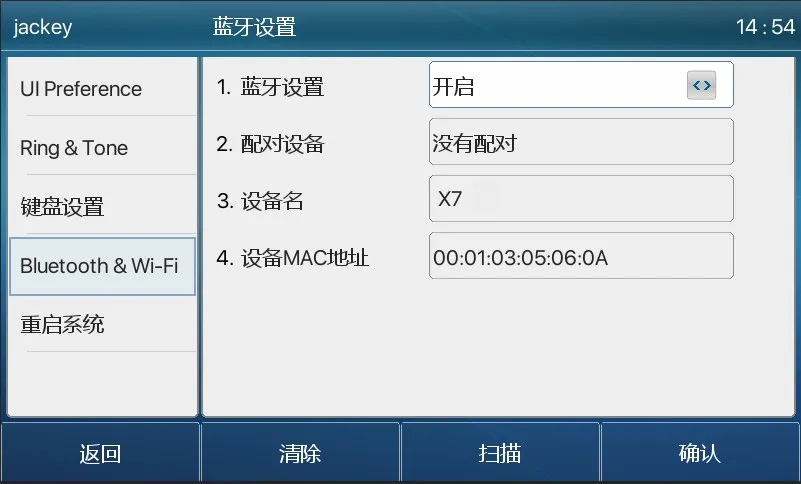
2. Haga clic en Escanear para buscar y mostrar la lista de dispositivos Bluetooth.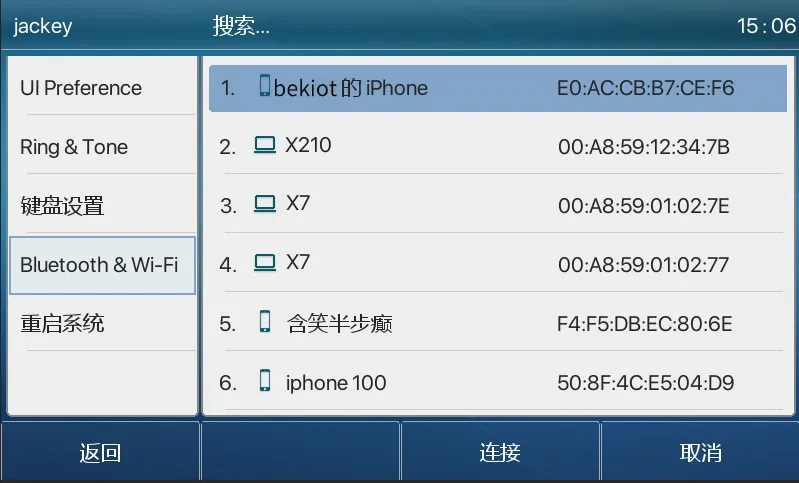
3. Seleccione el dispositivo al que desea conectarse y comience el emparejamiento. El teléfono móvil solicitará un código PIN (predeterminado: “0000”).
4. Después de ingresar el código PIN, el dispositivo preguntará si desea sincronizar los contactos del teléfono móvil. Haga clic en Confirmar para sincronizarlos.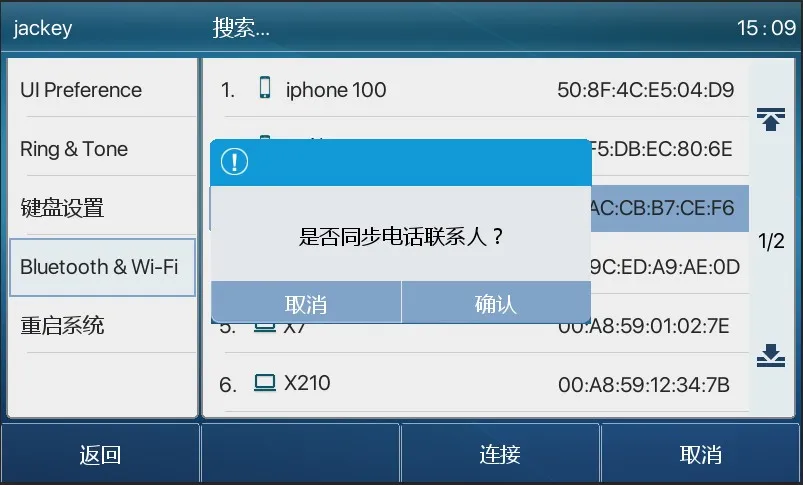
Tenga en cuenta que los teléfonos Android también solicitarán permiso para acceder a los contactos y la agenda telefónica. Una vez confirmado, el dispositivo sincronizará los contactos.
Los iPhones no muestran este mensaje de permiso automáticamente. Para sincronizar los contactos, debe habilitar manualmente el acceso a contactos en el teléfono, como se muestra a continuación:
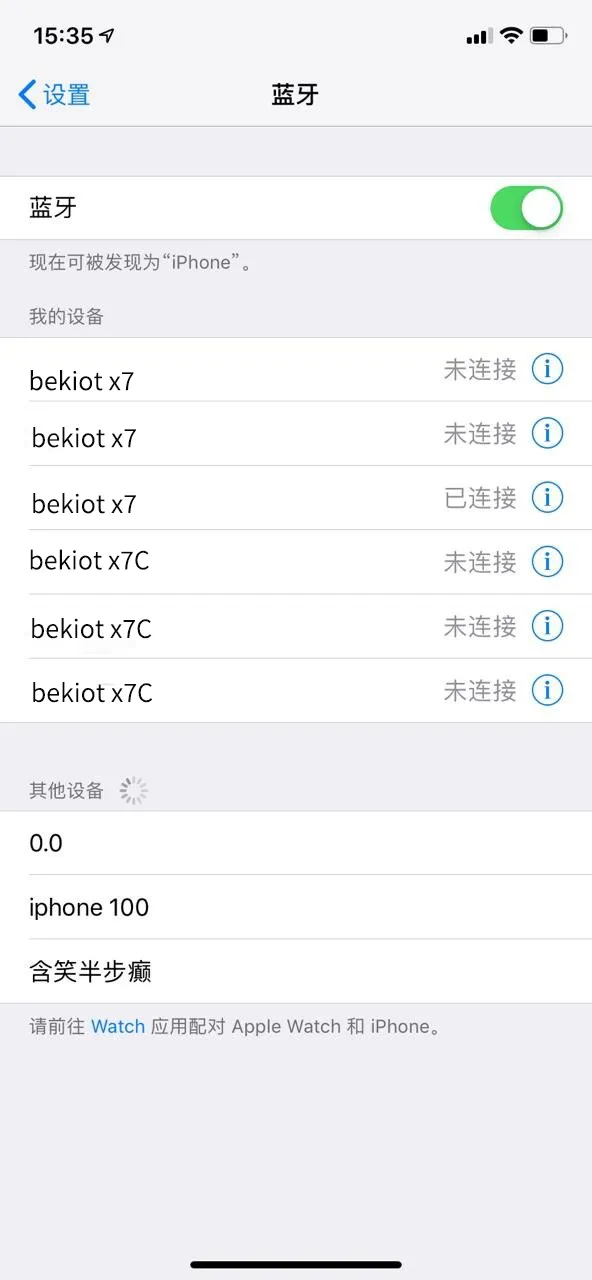
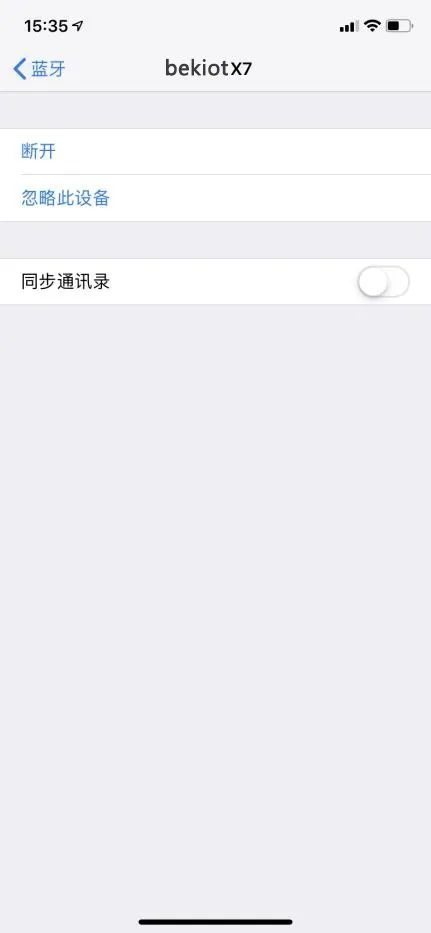
Primero seleccione el dispositivo emparejado, toque el icono de detalles y luego habilite la sincronización de contactos.
5. Después de una conexión exitosa, se mostrará un icono Bluetooth en la pantalla de inicio.
6. En la lista de contactos, dentro de la agenda del teléfono móvil, puede ver los contactos móviles sincronizados. Si los contactos en el teléfono móvil cambian después de la conexión, puede hacer clic en el botón de actualización del dispositivo para sincronizar y actualizar los contactos del teléfono.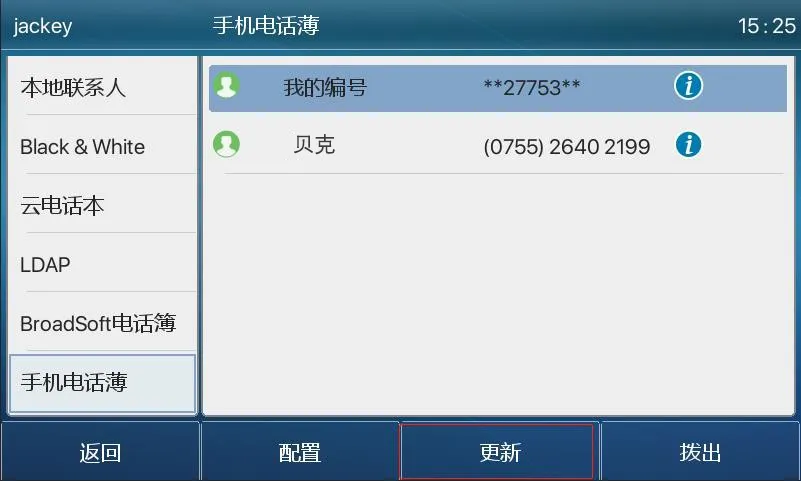
Actualmente, nuestros teléfonos admiten el uso de auriculares Bluetooth y la conexión de línea móvil Bluetooth a un teléfono móvil.
2.2.1 Auriculares Bluetooth
El uso de auriculares Bluetooth incluye principalmente tres funciones: contestar llamadas entrantes, colgar llamadas y remarcado por Bluetooth.
1. Contestar llamadas entrantes
Cuando el auricular Bluetooth está conectado al teléfono y hay una llamada entrante, presione una vez el botón de contestar del auricular para contestar la llamada.
2. Colgar llamadas
1)Cuando hable a través de un auricular Bluetooth, presione una vez el botón del auricular para colgar la llamada.
2)Cuando haya una llamada entrante, presione dos veces el botón de contestar para rechazar la llamada.
3)Cuando el teléfono haya marcado un número y la otra parte aún esté sonando, presione una vez el botón de contestar del auricular para cancelar la llamada.
3. Remarcado por Bluetooth
Cuando el auricular Bluetooth esté conectado, presione dos veces el botón de contestar para remarcar. El número remarcado será el último número marcado desde el teléfono.
Nota: Algunos modelos de auriculares no admiten el remarcado con doble clic. Consulte el manual del auricular para confirmar si admite esta función, o conecte el auricular Bluetooth a un teléfono móvil y presione dos veces el botón de contestar para ver si activa el remarcado.
2.2.2 Línea móvil Bluetooth
La línea móvil Bluetooth puede conectarse a teléfonos móviles con Android e iOS. Admite realizar llamadas, contestar llamadas, usar Retención, Reanudar y Silencio durante las llamadas, ajustar el volumen, ingresar DTMF durante las llamadas y finalizar llamadas. Durante la conexión, el teléfono también puede sincronizar la lista de contactos móviles.
1. Sincronizar la agenda telefónica
1)Cuando el teléfono móvil se conecta al dispositivo por primera vez, solicita un código PIN;
2)Luego aparece una ventana emergente preguntando si desea sincronizar los contactos del teléfono (solo Android);
3)Después de hacer clic en Confirmar, los contactos se actualizarán en la agenda del teléfono móvil dentro de la lista de contactos. Para iPhones, la sincronización de contactos debe habilitarse manualmente en la configuración de Bluetooth del lado del teléfono móvil, como se muestra en las imágenes anteriores.
4)Cuando la conexión Bluetooth entre el dispositivo y el teléfono móvil se desconecta, los contactos móviles se borran automáticamente.
2. Realizar llamadas
1)Configure una tecla DSS de línea en la interfaz web o en la pantalla LCD. Seleccione el tipo Línea, cámbielo a la línea Bluetooth (Móvil) y guarde la configuración.
2)Presione la tecla de línea Móvil configurada e ingrese el número móvil para hacer una llamada saliente.
3)El teléfono guardará el historial de llamadas realizadas a través del teléfono móvil conectado.
3. Contestar llamadas
1)Con la función de línea móvil Bluetooth, puede contestar llamadas entrantes del teléfono móvil.
2)Puede contestar la llamada presionando la tecla de contestar o levantando el auricular.
3)Después de contestar, la llamada también se puede transferir de vuelta al teléfono móvil para conversar.