

La Aparición de Llamada Compartida, conocida comúnmente como SCA (del inglés Shared Call Appearance), es una funcionalidad de telefonía que permite que una misma extensión o línea esté presente de forma simultánea en varios teléfonos. En la práctica, esto significa que varios usuarios o dispositivos pueden visualizar, contestar, realizar y gestionar llamadas asociadas a un único número compartido, dependiendo de la configuración del sistema. SCA se utiliza ampliamente en sistemas de telefonía empresarial, plataformas basadas en SIP, entornos de recepción, flujos de trabajo ejecutivo-asistente, líneas de atención al cliente y cualquier escenario donde más de una persona necesite visibilidad sobre las mismas llamadas entrantes y activas.
Esta función es especialmente valiosa en telefonía IP porque las organizaciones a menudo necesitan una cobertura de llamadas flexible sin obligar a que cada interacción pase por un único dispositivo. Un número principal de oficina puede necesitar sonar en varios escritorios. Un asistente puede requerir contestar las llamadas de un ejecutivo. Un equipo de atención al cliente puede necesitar acceso compartido a una extensión pública. En estos casos, la Aparición de Llamada Compartida crea un modelo operativo práctico en el que varios teléfonos actúan como participantes visibles alrededor de una misma identidad de línea, en lugar de ser extensiones separadas sin conocimiento mutuo.
Aunque SCA suena sencillo, es más que una simple llamada simultánea. Un entorno SCA bien implementado normalmente incluye visibilidad del estado de la línea, alerta compartida, captura coordinada de llamadas, conocimiento del estado de retención y reglas de comportamiento que determinan qué sucede cuando un usuario responde, pone una llamada en espera, la reanuda o inicia una segunda conversación desde la misma línea compartida. Por ello, SCA es tanto una característica de interfaz de usuario como un concepto de diseño de control de llamadas dentro de un sistema SIP moderno o una central IP (IP PBX).
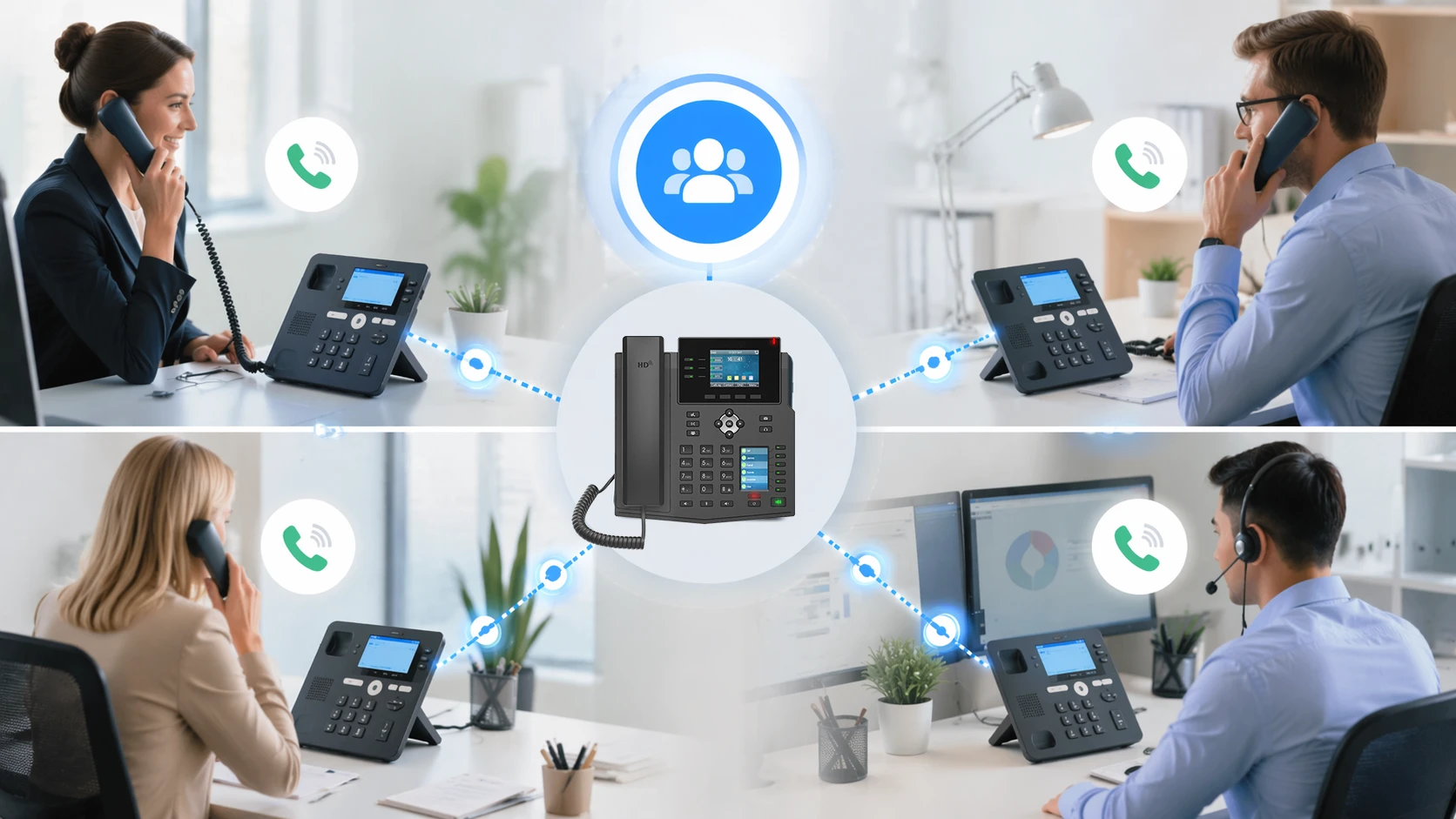
La Aparición de Llamada Compartida permite que una misma línea o extensión aparezca en varios teléfonos para una gestión coordinada de llamadas.
Qué significa la Aparición de Llamada Compartida en la práctica
Una línea visible en múltiples teléfonos
La idea central detrás de la Aparición de Llamada Compartida es que una misma identidad de línea puede registrarse o presentarse en múltiples dispositivos. En lugar de que un número comercial esté vinculado a un único teléfono de escritorio, esa misma línea puede aparecer en varios teléfonos utilizados por diferentes personas. Cuando llega una llamada, todos los participantes autorizados pueden ver el estado de la línea y, según el comportamiento del sistema, uno de ellos puede contestar mientras los demás ven que la llamada ha sido atendida.
Esto crea una forma más colaborativa de gestionar el tráfico de voz. En un modelo tradicional de una extensión por usuario, la cobertura a menudo depende de desvíos, grupos de llamada o transferencias manuales. Con SCA, la línea en sí misma se convierte en un espacio operativo compartido. Los usuarios no solo reciben llamadas desviadas después de que se active una regla; a menudo pueden ver si la línea está sonando, en uso, libre o en espera, lo que hace que la gestión de llamadas sea más transparente y eficiente.
Esa visibilidad es la razón por la que SCA suele asociarse con flujos de trabajo de recepción y asistentes, pero su utilidad va más allá. Cualquier entorno en el que la responsabilidad de un número pertenezca a un equipo en lugar de a un individuo puede beneficiarse de este modelo. El acceso compartido al estado de la línea reduce las llamadas perdidas y facilita la coordinación entre usuarios sin necesidad de preguntar quién está gestionando una conversación en cada momento.
Diferente de los grupos de llamada simples
Es fácil confundir la Aparición de Llamada Compartida con los grupos de llamada o grupos de caza, pero los conceptos no son idénticos. En un grupo de llamada, varios terminales pueden sonar para una misma llamada entrante, pero los miembros del grupo no necesariamente comparten el estado completo de la línea ni el comportamiento de la apariencia de la llamada activa. Una vez que se contesta la llamada, la relación entre los otros terminales y esa llamada puede terminar. Es posible que no vean el estado de retención, el uso activo o la ocupación de la línea de manera significativa.
Con SCA, por el contrario, la línea compartida en sí misma es un objeto persistente a través de los dispositivos. Si un usuario contesta la llamada, los otros teléfonos pueden mostrar que la línea está ocupada. Si el usuario pone la llamada en espera, otros usuarios autorizados pueden ver ese estado de retención y recuperar la llamada. Esto hace que SCA sea mucho más interactivo y operativamente rico que la simple distribución de llamadas con sonido simultáneo.
Para los diseñadores de sistemas, esta distinción es importante. Un grupo de llamada resuelve el problema de quién recibe la alerta. SCA ayuda a resolver el problema más amplio de quién puede ver, gestionar y continuar manejando una llamada asociada a un número compartido. Esto lo hace más adecuado para comunicaciones empresariales estructuradas donde la visibilidad y la continuidad son importantes.
La Aparición de Llamada Compartida no se trata solo de hacer que varios teléfonos suenen; se trata de hacer que una línea sea operativamente visible en múltiples terminales.
Cómo funciona la Aparición de Llamada Compartida
Registro de línea compartida y estado de línea
En los sistemas de telefonía SIP e IP, la Aparición de Llamada Compartida suele implementarse permitiendo que varios teléfonos presenten el mismo número de directorio o identidad de línea bajo reglas de comportamiento controladas. Según la plataforma, esto puede implicar lógica de registro compartido, mapeo de apariencias de línea, comportamiento de línea puente o soporte de SCA específico del fabricante. Los teléfonos pueden entonces mostrar y reaccionar a eventos de estado de línea como libre, sonando, conectado, en espera o en uso remoto.
Esta conciencia del estado de la línea es una de las características definitorias de SCA. El teléfono no solo recibe la orden de sonar cuando un número coincidente recibe una llamada; también se actualiza cuando otro dispositivo interactúa con esa línea. Si un usuario contesta, los otros teléfonos pueden dejar de sonar y mostrar la línea como activa. Si la llamada se estaciona o se pone en espera de forma compartida, otro dispositivo puede mostrar ese estado de retención y ofrecer una forma de reanudar la conversación.
El comportamiento exacto depende de la central PBX, el servidor SIP o el sistema telefónico involucrado. Algunas plataformas implementan SCA de forma nativa con soporte explícito de la función. Otras logran resultados similares mediante apariencias puente, teclas de línea compartida, monitoreo de estado tipo BLF o lógica de coordinación de dispositivos propietaria. Incluso cuando la experiencia del usuario parece similar, el modelo de señalización subyacente puede diferir significativamente.
Coordinación del manejo de llamadas entre dispositivos
Una vez que SCA está activo, la pregunta más importante es cómo se controlan las llamadas entre los dispositivos compartidos. Cuando llega una nueva llamada, todos los teléfonos participantes pueden sonar simultáneamente. Cuando un teléfono contesta, el sistema marca la línea como activa, lo que evita confusiones en los otros teléfonos. Si el usuario activo pone la llamada en espera, la línea puede quedar disponible para que otro usuario del grupo compartido la recupere. Esto hace posible la cobertura colaborativa de llamadas sin forzar una transferencia cada vez que las responsabilidades cambian.
Algunos sistemas también permiten múltiples apariencias de llamada bajo una misma línea compartida, lo que significa que el mismo número compartido puede soportar más de una conversación simultánea dependiendo de la asignación de teclas de línea y la política de la central PBX. En esos casos, los usuarios pueden ver varias instancias o apariencias de la misma línea, cada una con su propio estado. Esto es especialmente útil en entornos de recepción y con alto volumen de llamadas donde un único número público puede necesitar capacidad de manejo en paralelo.
Dicho esto, una buena coordinación depende en gran medida de un comportamiento claro de la interfaz de usuario. Si los usuarios no pueden ver fácilmente qué apariencia está activa, cuál está en espera y cuál está disponible, SCA puede generar confusión en lugar de eficiencia. Es por ello que el firmware del teléfono, el etiquetado de teclas, el comportamiento de los indicadores luminosos y la formación de los usuarios son a menudo tan importantes como la configuración en el servidor.
Interacción con SIP, central PBX y funciones de los terminales
SCA suele estar estrechamente vinculada a las capacidades más amplias del sistema telefónico. La central PBX o el servidor SIP controla cómo se publica el estado de la línea, cómo se reservan las apariencias, qué sucede en la espera compartida y si se aplican reglas de privacidad. Los propios teléfonos deben admitir el comportamiento requerido de las teclas de línea, las actualizaciones de estado remoto y la lógica de visualización. Sin una alineación entre la plataforma y los terminales, SCA puede ser inconsistente o solo parcialmente funcional.
En los sistemas empresariales, SCA suele funcionar junto con otras funciones como correo de voz, transferencia de llamadas, captura de llamadas, estacionamiento de llamadas, BLF, indicación de presencia, sonido en grupo y consolas de recepción. Por ejemplo, un recepcionista puede usar SCA para una línea ejecutiva compartida mientras usa teclas BLF para monitorear extensiones privadas. Un teléfono de departamento puede usar una línea compartida para llamadas públicas y líneas dedicadas separadas para la identidad interna del personal.
Debido a esto, la Aparición de Llamada Compartida debe verse como parte de un diseño más amplio de control de llamadas, no como una función aislada. Las implementaciones más efectivas son aquellas en las que el comportamiento de SCA se planifica junto con los roles de los usuarios, la propiedad de las líneas, las expectativas de conmutación por fallo y los patrones diarios de gestión de llamadas.
Beneficios clave de la Aparición de Llamada Compartida
Mejora de la cobertura de llamadas
Una de las mayores ventajas de SCA es la mejora de la cobertura de llamadas para números importantes. Cuando varios teléfonos comparten la misma línea, es menos probable que se pierdan llamadas simplemente porque un usuario se ausentó, ya estaba en otra llamada o no pudo llegar al dispositivo a tiempo. Otro miembro autorizado del equipo puede contestar sin esperar a que actúe la lógica de desvío o el buzón de voz.
Esto es particularmente valioso para números orientados al cliente y operativos que representan un rol más que una persona. Una recepción, una línea de soporte, un servicio de atención, una oficina de admisiones o un punto de contacto de seguridad pueden necesitar disponibilidad continua durante el horario laboral. SCA proporciona una forma directa de distribuir la responsabilidad sin ocultar la actividad de la línea al equipo.
Una mejor cobertura de llamadas también mejora la experiencia de la persona que llama. En lugar de escuchar tonos repetidos o ser transferida varias veces, es más probable que la persona que llama contacte rápidamente con una persona real. Esto puede marcar una diferencia significativa en la capacidad de respuesta profesional y la calidad del servicio.
Mejor conciencia de equipo y continuidad
Otro beneficio importante es la visibilidad. Los usuarios que comparten una línea a menudo pueden ver si ya está en uso, si un compañero contestó o si hay una llamada en espera. Esto reduce la incertidumbre interna y ayuda a los equipos a coordinarse de forma natural. Las personas no necesitan adivinar si alguien más está manejando la conversación porque el estado de la línea ya es visible en el teléfono.
La continuidad también mejora cuando las llamadas deben moverse entre miembros del personal. En un entorno SCA bien diseñado, un usuario puede poner una llamada en espera y otro usuario puede reanudarla desde otro terminal compartido. Esto es útil en recepción, administración sanitaria, puntos de servicio al por menor, entornos de apoyo a ejecutivos y situaciones donde las conversaciones pueden cambiar de manos durante el curso normal del negocio.
Esa continuidad otorga a SCA una ventaja práctica sobre las herramientas de enrutamiento más simples. No solo se trata de contestar más rápido; también se trata de permitir la propiedad operativa compartida de una llamada entre las personas que representan esa línea.
Gestión más eficiente de números basados en roles
Muchos números de negocio pertenecen a funciones más que a individuos. Algunos ejemplos incluyen mesas de ventas, oficinas de almacén, mostradores de despacho, recepciones de hotel, oficinas de administración escolar, números de recepción de clínicas y mesas de coordinación de emergencias. Estos números necesitan una disponibilidad constante independientemente de qué individuo esté físicamente presente en un teléfono en un momento dado.
La Aparición de Llamada Compartida es muy adecuada para estas situaciones porque hace que el número sea accesible como un recurso de equipo. Los usuarios pueden trabajar desde sus propios equipos mientras siguen participando en la misma línea pública. Esto reduce la dependencia de una ubicación física y favorece acuerdos de personal más resilientes.
En los sistemas SIP modernos, esa flexibilidad basada en roles es especialmente importante porque las organizaciones buscan cada vez más que la comunicación se alinee con los flujos de trabajo, no solo con la ubicación del hardware. SCA ayuda a que la infraestructura de voz refleje cómo operan realmente los equipos.

SCA mejora la cobertura de llamadas, la visibilidad del equipo y la continuidad para números de negocio basados en roles.
Casos de uso comunes para la Aparición de Llamada Compartida
Operaciones de recepción y atención al frente
La recepción es uno de los casos de uso clásicos de SCA. Un número principal de empresa puede aparecer en varios dispositivos en la recepción, en la oficina trasera o en puestos administrativos cercanos. Cuando llega una llamada, el primer miembro del personal disponible puede contestar. Si esa persona necesita ayuda o debe ausentarse, otro miembro del personal podría reanudar la llamada dependiendo de la configuración de retención y privacidad.
Este arreglo suele ser más flexible que desviar todas las llamadas a una sola persona y luego transferirlas manualmente. También reduce el riesgo de llamadas perdidas durante períodos de mucho trabajo, cobertura de almuerzo o ausencias temporales del personal. Como el estado de la línea es compartido, el personal puede ver si el número principal ya está activo y evitar duplicidades o confusiones innecesarias.
Para las organizaciones que dependen de una experiencia de primer contacto pulida, esta visibilidad y redundancia pueden mejorar significativamente la capacidad de respuesta.
Flujos de trabajo ejecutivo y asistente
SCA también es muy útil en entornos de ejecutivo-asistente. La línea de un ejecutivo puede aparecer tanto en el teléfono del ejecutivo como en el del asistente, lo que permite al asistente contestar llamadas, monitorear el uso de la línea o realizar llamadas en nombre del ejecutivo según el diseño del sistema y la política. Esto crea un flujo de trabajo de apoyo práctico sin forzar toda la comunicación a través de pasos separados de desvío y transferencia.
En estos escenarios, las configuraciones de privacidad son importantes. Algunas organizaciones desean que el asistente tenga amplia visibilidad y autoridad de captura. Otras desean un soporte más limitado, donde solo se compartan el sonido entrante y cierta recuperación de llamadas en espera. La mejor configuración depende de la relación esperada entre conveniencia, confidencialidad y control del flujo de trabajo.
Cuando se implementa bien, SCA puede hacer que las comunicaciones ejecutivas sean más fluidas y reducir la fricción administrativa asociada con la gestión de llamadas a lo largo del día.
Números de departamento y líneas calientes de equipo
Los departamentos suelen publicar un número al exterior aunque varias personas puedan contestar. Los equipos de ventas, las mesas de TI internas, las unidades de administración médica, las mesas de logística y los mostradores de servicio son ejemplos comunes. La Aparición de Llamada Compartida permite que varios usuarios participen directamente en la gestión de esa línea publicada, manteniendo al mismo tiempo la conciencia de lo que está sucediendo en tiempo real.
Esto es especialmente útil cuando el equipo es relativamente pequeño y desea más transparencia que la que proporciona un modelo de cola tradicional. En una cola, las llamadas se distribuyen mediante una lógica que puede parecer opaca para los usuarios. En una configuración SCA, los miembros del equipo suelen ver la línea compartida sonar activamente y pueden coordinarse de forma más orgánica. Esto puede ser adecuado cuando el volumen de llamadas es moderado y el personal se beneficia de saber quién está atendiendo cada llamada.
Para entornos más grandes o complejos, SCA puede seguir usándose junto con otras funciones, pero funciona mejor cuando el equipo realmente comparte la responsabilidad operativa de una identidad de línea.
Atención sanitaria, hotelería y mesas de servicio
En recepción sanitaria, administración de salas, recepción de hoteles y mostradores de atención al cliente, las llamadas suelen pertenecer a una ubicación o función más que a un solo miembro del personal. SCA apoya este modelo de manera efectiva porque permite que el número compartido siga siendo visible y accionable en múltiples puestos. Un paciente que llama a la recepción de una clínica o un huésped que llama a un mostrador de servicio no debería depender de un único teléfono.
Estos sectores también se benefician del aspecto de continuidad de SCA. Las llamadas pueden necesitar ser retomadas por otra estación cercana, reanudarse después de una espera o ser gestionadas por el miembro del personal que esté disponible en ese momento. Debido a que la capacidad de respuesta del servicio afecta directamente a la experiencia del usuario, SCA puede contribuir de manera significativa a la calidad operativa.
En tales implementaciones, la configuración debe ajustarse cuidadosamente al ritmo de trabajo. Demasiadas apariciones compartidas pueden crear distracción, mientras que muy poca visibilidad puede reducir el valor de la función. Un diseño equilibrado es esencial.
SCA funciona mejor cuando un número representa una responsabilidad compartida y los usuarios detrás de ese número necesitan visibilidad y flexibilidad.
Ideas de configuración para la Aparición de Llamada Compartida
Decida quién realmente necesita la línea compartida
La primera decisión de configuración es más organizativa que técnica: ¿quién debería compartir realmente la línea? No todos los usuarios que ocasionalmente ayudan con las llamadas deberían tener necesariamente una apariencia compartida completa. Demasiados participantes pueden generar ruido, confusión y sonidos innecesarios. En muchos casos, el mejor enfoque es limitar SCA a las personas que tienen la propiedad rutinaria del número y confiar en otras funciones, como la transferencia o la captura de llamadas, para la ayuda ocasional.
Esta decisión debe reflejar el flujo de trabajo. Si la línea pertenece a un equipo de recepción de dos personas, ambas pueden necesitar la misma participación en SCA. Si pertenece a un ejecutivo, quizás solo el ejecutivo y el asistente deberían compartirla. Si es un número de departamento, quizás tres o cuatro miembros clave del personal deberían compartirlo mientras que el resto del equipo recibe el desbordamiento a través de otras reglas.
Una selección cuidadosa de los participantes es una de las formas más sencillas de mantener SCA útil en lugar de disruptivo.
Planifique claramente las teclas de línea y el número de apariencias
Los teléfonos utilizados para SCA deben configurarse con teclas de línea de manera que los usuarios puedan entenderlas de un vistazo. Si el sistema admite múltiples apariencias de la misma línea compartida, es importante decidir cuántas son realmente necesarias. Una posición de recepción puede beneficiarse de varias apariencias para un número público, mientras que una pequeña oficina puede necesitar solo una. Más apariencias aumentan la flexibilidad para manejar múltiples llamadas, pero también aumentan la complejidad visual.
Las etiquetas, las luces indicadoras y la disposición de la pantalla son importantes aquí. Los usuarios deben poder saber qué tecla corresponde a la línea compartida, si esa apariencia está libre u ocupada y si otro usuario tiene actualmente la llamada en espera. Una configuración técnicamente correcta que resulte confusa en el terminal puede fallar operativamente.
Por esa razón, la planificación de las teclas de línea debe tratarse como parte del proceso de diseño de SCA, no como un pequeño paso final después de completar los ajustes en la central PBX.
Establezca reglas claras para la espera, la privacidad y la identidad de salida
Tres áreas de configuración merecen especial atención: el comportamiento de la espera, la privacidad y la identidad de las llamadas salientes. Primero, la organización debe definir si las llamadas en espera en la línea compartida pueden ser recuperadas por todos los usuarios autorizados o solo por la persona que las puso en espera. Una recuperación amplia aumenta la flexibilidad, pero también requiere disciplina del personal para evitar interrupciones accidentales.
En segundo lugar, las reglas de privacidad deben reflejar la sensibilidad del entorno. Algunos sistemas permiten que una línea compartida sea monitoreada en cuanto a su estado sin exponer todos los detalles de las llamadas activas. Otros permiten una colaboración de captura más sólida. En entornos ejecutivos, legales, financieros o sanitarios, las consideraciones de privacidad pueden dar forma a todo el diseño de SCA.
En tercer lugar, las llamadas salientes deben planificarse cuidadosamente. Si varios usuarios realizan llamadas salientes utilizando el mismo número compartido como identificador de llamadas, eso puede ser útil para mantener una identidad pública coherente. Sin embargo, también puede afectar a la trazabilidad, la gestión de las llamadas de retorno y la responsabilidad del usuario. El enfoque adecuado depende de los objetivos comerciales y las necesidades de cumplimiento normativo.
Combine SCA con BLF, captura o colas cuando sea necesario
SCA no necesita resolver todos los requisitos de gestión de llamadas por sí sola. En muchas implementaciones, funciona mejor cuando se combina con funciones relacionadas. Las teclas BLF pueden proporcionar visibilidad de líneas privadas. La captura de llamada dirigida puede soportar usuarios de respaldo que no usan SCA. Las colas de llamadas pueden manejar escenarios de mayor volumen donde se necesita una lógica de distribución estricta, mientras que SCA sigue estando disponible para un equipo compartido más pequeño o un rol de supervisión.
Por ejemplo, una mesa de servicio puede usar una cola para llamadas externas de alto volumen, pero seguir usando SCA en la línea del supervisor. Una consulta médica puede compartir el número de recepción mediante SCA mientras usa BLF para monitorear a enfermeras o especialistas. Una oficina escolar puede combinar un número de administración compartido con reglas de captura para el desbordamiento durante las horas punta.
Este enfoque por capas suele producir mejores resultados que tratar de forzar SCA en todos los roles de telefonía. La función es más efectiva cuando se utiliza donde la propiedad compartida de la línea realmente agrega valor operativo.
Limitaciones y consideraciones de diseño
Potencial de confusión para el usuario
A pesar de sus beneficios, la Aparición de Llamada Compartida puede crear confusión si los usuarios no entienden lo que están viendo. Múltiples dispositivos sonando, luces de ocupado, apariencias en espera y teclas de línea repetidas pueden abrumar al personal acostumbrado a teléfonos de una sola línea. Por lo tanto, la formación es importante, especialmente en equipos con rotación frecuente de personal o personal temporal.
La confusión también puede surgir cuando los usuarios asumen que SCA se comporta de la misma manera en todos los sistemas. Diferentes plataformas PBX y fabricantes de teléfonos implementan las líneas compartidas de manera diferente. Un entorno puede permitir la recuperación de llamadas en espera desde cualquier teléfono compartido, mientras que otro no. Uno puede mostrar una fuerte visibilidad del estado, mientras que otro puede ofrecer solo una indicación limitada. Estas diferencias deben documentarse durante la implementación.
Para el éxito operativo, el modelo de usuario debe ser tan claro como el modelo técnico.
Preocupaciones sobre privacidad y cumplimiento normativo
Debido a que SCA da a múltiples usuarios visibilidad sobre una línea, la privacidad debe considerarse cuidadosamente. En algunos entornos, los usuarios no deberían poder capturar o reanudar todas las llamadas de un número compartido sin restricciones. En otros, incluso la visibilidad de la actividad de la línea puede necesitar ser limitada. Las organizaciones que trabajan en servicios sanitarios, legales, financieros o administración ejecutiva deben evaluar si el comportamiento de SCA se alinea con sus requisitos de confidencialidad.
La identidad de la persona que llama y las expectativas de auditoría también pueden importar. Si varios usuarios realizan llamadas bajo una misma apariencia compartida, debería ser posible entender quién inició cada comunicación si eso es importante operativa o legalmente. Algunos sistemas soportan un registro detallado incluso cuando el identificador de llamadas se comparte públicamente; otros pueden requerir prácticas de informes adicionales.
Por lo tanto, un buen diseño de SCA equilibra la conveniencia con la responsabilidad y la confidencialidad.
No siempre es la mejor opción para entornos de cola de alto volumen
La Aparición de Llamada Compartida puede ser excelente para equipos pequeños y números compartidos visibles, pero no siempre es ideal para entornos de centros de llamadas a gran escala o soporte de alto volumen. Cuando las llamadas requieren una lógica de cola estricta, estados de agente, informes, reglas de desbordamiento, enrutamiento prioritario y distribución basada en habilidades, las funciones dedicadas de centro de llamadas suelen proporcionar un mejor control que las simples apariencias compartidas.
Eso no significa que SCA no tenga ningún papel en esos entornos. Puede seguir funcionando bien para líneas de gestión, puestos de escalamiento, desbordamiento de recepción o roles compartidos especializados. Pero cuando el objetivo principal es la orquestación formal de colas en lugar de la transparencia de línea compartida, otras herramientas de telefonía pueden ser más apropiadas.
Las implementaciones más exitosas reconocen esta diferencia y utilizan SCA allí donde sus puntos fuertes son más relevantes.

El diseño exitoso de SCA depende de la disposición de los terminales, los roles de usuario, la política de espera, la configuración de privacidad y la planificación general del flujo de trabajo.
Conclusión
Por qué SCA sigue siendo valiosa en la telefonía IP moderna
La Aparición de Llamada Compartida sigue siendo valiosa porque muchos números de negocio son responsabilidades compartidas en lugar de terminales personales. Un número de recepción, una línea de departamento, una identidad de soporte o un punto de contacto de un ejecutivo a menudo necesita ser visible y accionable en más de un teléfono. SCA satisface esa necesidad combinando alerta, visibilidad compartida y gestión colaborativa de llamadas en un modelo telefónico práctico.
Su valor es máximo cuando el número pertenece a un rol, una ubicación o un equipo pequeño que realmente necesita control operativo compartido. En estas situaciones, SCA puede mejorar la cobertura, reducir las llamadas perdidas, apoyar la continuidad y hacer que la coordinación del equipo sea más natural. Al mismo tiempo, debe configurarse cuidadosamente prestando atención a la privacidad, la claridad de las teclas de línea, la formación de los usuarios y los límites de la función en entornos más complejos basados en colas.
En los sistemas SIP modernos y centrales IP, la Aparición de Llamada Compartida se entiende mejor no como una simple opción de teléfono, sino como una herramienta de flujo de trabajo. Cuando se alinea correctamente con la forma en que las personas realmente contestan y gestionan las llamadas, puede hacer que la comunicación de voz empresarial sea mucho más efectiva.
Preguntas frecuentes
¿Es la Aparición de Llamada Compartida lo mismo que un grupo de llamada?
No. Un grupo de llamada controla principalmente qué teléfonos suenan para una llamada entrante, mientras que SCA también proporciona visibilidad de línea compartida y a menudo permite la gestión coordinada de llamadas activas y en espera a través de múltiples terminales.
¿Quién suele usar SCA?
Lo utilizan comúnmente equipos de recepción, asistentes ejecutivos, mesas de departamento, administración sanitaria, recepciones de hostelería y otros equipos pequeños que comparten la responsabilidad de un único número publicado.
¿Pueden varios usuarios hacer llamadas desde la misma línea compartida?
En muchos sistemas, sí, dependiendo de la configuración. Sin embargo, el comportamiento exacto depende de la central PBX, el número de apariencias de línea asignadas y la política de identidad de salida para ese número compartido.
¿Qué se debe configurar con cuidado en una implementación de SCA?
Los elementos más importantes son la selección de participantes, la disposición de las teclas de línea, el comportamiento de recuperación de llamadas en espera, la configuración de privacidad y cómo SCA interactúa con otras funciones como BLF, captura de llamadas y colas.